
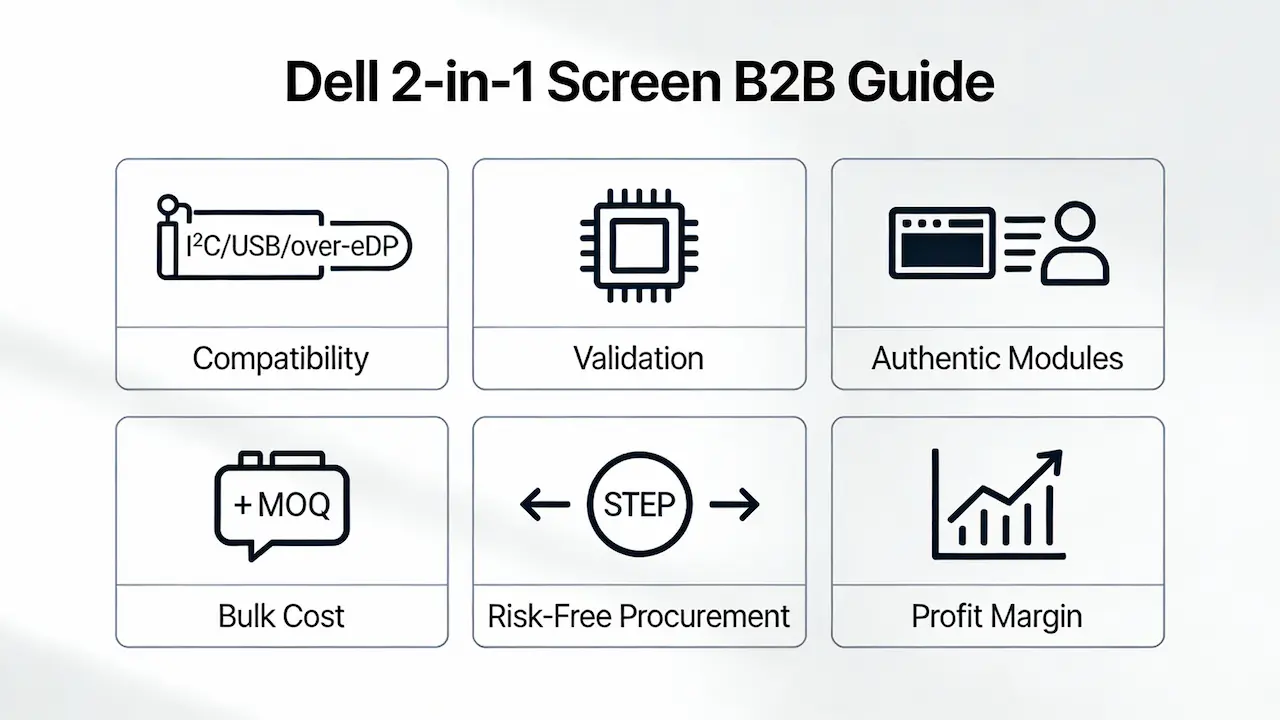
Por que os painéis LCD padrão falham nos modelos 2 em 1 da Dell?
Os laptops 2 em 1 premium da Dell — como o Latitude 9440, 7440 e XPS 13 (9330/9340) — utilizam módulos de exibição totalmente integrados, onde o LCD, o digitalizador de toque e o vidro de cobertura são laminados em uma única unidade selada. Ao contrário dos laptops tradicionais com telas montadas em moldura, esses modelos integram a funcionalidade de toque diretamente no conjunto do painel por meio de Protocolos I²C HID ou USB-over-eDP, compartilhando linhas de sinal com dados de vídeo. A tentativa de instalar uma substituição "somente LCD" (comum em lojas de varejo) resulta em falha completa do touchscreen ou rejeição da inicialização devido à falta de validação do ID do painel (PID) e do EDID — o BIOS da Dell bloqueia módulos não autorizados no nível do firmware (fonte: Dell Command | Logs do monitor, 2025).
Fatores críticos de compatibilidade além da resolução
A compatibilidade de resolução ou tipo de conector é insuficiente. Três camadas técnicas determinam o sucesso:
Protocolo de interface tátil:
- Os modelos 2 em 1 Latitude 9000/7000 utilizam I²C HID, exigindo uma comunicação específica de firmware com o controlador integrado da Dell.
- O XPS 13 2 em 1 (9330/9340) utiliza USB sobre eDP, incorporando dados de toque no mesmo cabo eDP de 40 pinos — não existe uma porta digitalizadora separada.
Validação EDID + PID:
A BIOS verifica tanto os dados de identificação de tela estendidos (EDID) quanto o ID do painel. Uma incompatibilidade aciona avisos de "Tela não Dell" ou telas pretas, mesmo que a imagem apareça inicialmente.Integração física:
Os módulos OEM incluem estruturas metálicas pré-instaladas, cabos flexíveis com blindagem EMI e juntas adesivas aplicadas de fábrica. As unidades de reposição geralmente não possuem blindagem, causando problemas. toques fantasmas da interferência eletromagnética — um modo de falha conhecido em ambientes de alta radiofrequência.
Visão profissionalSempre verifique ambos os lados. Dell FRU (ex.: 0VH8C2) e número da peça do painel (ex.: NV140WUM-T01). A resolução por si só não tem significado.
Obtenção de Módulos Integrados Autênticos – A Realidade da Cadeia de Suprimentos
Como distribuidores diretos da BOE, LG Display, Samsung e AUO, confirmamos que apenas os painéis provenientes das cadeias de fornecimento originais da Dell passam por validação completa:
- Tela LGFornece LP140QH1-SPB1 (FHD+, 400 nits, antirreflexo) para XPS 13 9330.
- BOEFabrica o NV140WUM-T01 (WUXGA, 300 nits, fosco) para o Latitude 9440 — inclui moldura compatível com CRU para implantações corporativas.
- SamsungDisponibiliza módulos OLED touchscreen em quantidade limitada (ATNA40YV01) para XPS 13 9340; prazo de entrega de aproximadamente 6 semanas devido ao baixo rendimento.
Todas as unidades passam por Teste de envelhecimento acelerado de 24 horas e incluem:
- Uniformidade de cor calibrada de fábrica (ΔE < 2,5)
- FPC blindado com revestimento condutor
- Laminação completa (sem espaços de ar)
⚠️ Evite “kits de conversão para tela sensível ao toque” — as placas-mãe Dell 2 em 1 não possuem pinos GPIO para digitalizadores de terceiros. Modificações na BIOS anulam a garantia e causam instabilidade nos drivers.
Estrutura de custos B2B e ROI para substituição em massa de telas
Para os distribuidores, a rentabilidade depende de uma modelagem de custos precisa:
| Nível de pedido | MOQ | Custo unitário médio (FHD+ IPS) | Notas |
|---|---|---|---|
| Estoque à vista | 10 unidades | 48–62 | Modelos comuns, prontos para envio |
| Lote personalizado | 500 unidades | 32–38 | Requer um prazo de entrega de 8 a 10 semanas. |
| Módulos OLED | 100 unidades | 110–135 | Disponibilização limitada pela Samsung |
Fonte: Dados internos de preços, 4º trimestre de 2025, com base em mais de 200 transações B2B.
Substituição de telas em grande quantidade para revenda. é economicamente viável quando:
- Os modelos alvo têm uma vida útil superior a 3 anos (ex.: Latitude 7440).
- As telas são de Grau A com EDID/PID completo.
- Custo logístico <15% do valor da tela (alcançável via frete DDP)
Um estudo de caso de 2024 sobre a cadeia de reparos mostrou 22% margem maior Em unidades Latitude 9440 recondicionadas, utilizamos telas OEM validadas em vez de alternativas genéricas, devido à taxa de devoluções zero e à rotatividade mais rápida.
Como validar e adquirir sem riscos
Siga este protocolo de 3 etapas:
Identificar a configuração original:
Forneça a etiqueta de serviço da Dell ou uma foto da etiqueta antiga do painel (mostrando o número da peça, como B140HAN04.0).Verificação cruzada com a lista de materiais do fabricante original.:
Identificamos o FRU original da Dell para o seu modelo e obtemos as peças apenas de fábricas autorizadas (BOE/LG/Samsung).Verificação pré-embarque:
Receba o dump EDID, a especificação da interface (ex.: eDP 40 pinos, 4 pistas) e o relatório de classificação de qualidade antes do pagamento.
Isso elimina as suposições sobre compatibilidade — algo crucial quando sua reputação depende de reparos perfeitos na primeira tentativa.
Este guia faz parte da nossa estrutura abrangente para distribuidores globais: Guia completo para especificações de telas de laptops em 2025. Para obter informações sobre estratégias de fornecimento para todas as séries da Dell, consulte nosso [link para a página de estratégias de fornecimento].
Telas originais Dell para laptops – direto dos fabricantes de painéis.
Perguntas frequentes
Qual o custo para substituir a tela de um notebook Dell em pedidos em grande quantidade?
Para modelos 2 em 1 comuns (por exemplo, Latitude 7440), os preços para compras em grande quantidade começam em 48/unit fou 10+pcs umddrops to 32 unidades por pacote com 500 peças. Os modelos OLED (XPS 13 9340) variam de 110–135, dependendo da alocação. Orçamentos exatos requerem verificação do modelo devido a restrições de fornecimento específicas de cada painel.
Qual é o preço de atacado para substituição de telas de laptops Dell?
Os custos de atacado variam conforme a tecnologia: módulos FHD+ IPS com tecnologia bonded têm uma média de [valor em branco]. 32–62, enquanto as unidades WUXGA/OLED custam 95–135. O preço é determinado pelo fornecedor OEM (LG ou BOE), pelo tipo de retroiluminação (LED ou Mini-LED) e se a unidade inclui moldura compatível com CRU.
Qual é a quantidade mínima de encomenda (MOQ) e o preço para telas de notebooks Dell de fabricantes originais (OEM)?
As telas 2 em 1 em estoque têm uma quantidade mínima de pedido (MOQ) de 10 unidades. Para produção personalizada (por exemplo, modelos em fim de vida útil), a quantidade mínima de encomenda (MOQ) é 500 unidades Com prazo de entrega de 8 a 10 semanas. Os preços são dinâmicos — envie sua Etiqueta de Serviço para verificar a disponibilidade em tempo real e receber orçamentos por níveis de preço.
Vale a pena consertar telas de laptops em lote para revenda?
Sim, se usar módulos colados validados de nível OEM. Unidades Latitude/XPS 2 em 1 recondicionadas com telas originais atingem Venda total do produto >90% em até 45 dias (em comparação com o modelo 60% para telas genéricas) devido à ausência de problemas de compatibilidade e à confiança dos compradores corporativos.
Contate-nos
Pronto para eliminar devoluções relacionadas a telas e aumentar as margens de lucro? Contate-nos Com as suas etiquetas de serviço Dell ou os números de peça do painel, forneceremos um orçamento confirmado em até 24 horas.



