
HP Pavilion x360 15 Laptop Screen Replacement: Specifications & Compatibility Guide

hp pavilion x360 15 laptop screen guide
You ordered a replacement screen for your HP Pavilion x360 15-bk102ng, matched the size and resolution, but after installation the display flickers or touch doesn’t work. This is not rare—it happens because most online advice stops at “15.6-inch Full HD.”
 
This guide is part of our comprehensive HP Laptop Screen Replacement Guide,designed to help resellers and repair shops navigate the complexities of screen replacements.
 
True compatibility depends on deeper technical layers: the eDP pinoutbacklight power circuitdigitizer integration, and even firmware-level panel whitelisting. Generic listings rarely disclose these.
 
Two common failures follow: (1) panels fit physically but fail electrically due to mismatched EDID data or backlight voltage; (2) users assume all x360 15 models share screens, ignoring critical sub-model differences that disable touch or cause boot loops.
 
Let’s break down what truly determines screen compatibility for the HP Pavilion x360 15, starting with its official specifications.

What is the exact screen model used in the HP Pavilion x360 15?

The HP Pavilion x360 15 series uses multiple OEM panels depending on sub-model and region.

HP ModelVerified OEM Panel Model NumbersResolutionPanel TypeTouch SupportTypical Brightness
15-bk062saLP156WF6-SPB1 (LG), B156HTN04.2 (BOE)1920×1080IPS / TNYes / No*250 / 220 nits
15-bk102ngB156HTN04.2 (BOE), LP156WHB-TJB1 (LG)1920×1080TNNo220 nits
15-bk103ngB156HTN04.2 (BOE), LP156WHB-TJB1 (LG)1920×1080TNNo220 nits
15-br004nwCLAA156WA01 (Innolux), N156BGE-EA1 (CSOT)1366×768TNNo200 nits
15-cr0000noNV156FHM-N41 (CSOT), LP156WF6-SPD1 (LG)1920×1080IPSYes250–300 nits
15-cr0001ngNV156FHM-N41 (CSOT), LP156WF6-SPD1 (LG)1920×1080IPSYes250–300 nits
15-cr0004txNV156FHM-N41 (CSOT), LP156WF6-SPD1 (LG)1920×1080IPSYes250–300 nits
15-cr0930ndLP156WF6-SPD1 (LG), BOE NV156FHM-N511920×1080IPSYes300 / 250 nits
15-dq0065clBOE NV156FHM-N61, CSOT T156HAN01.01920×1080IPSYes250 nits
15-er0032ngLP156WF6-SPK1 (LG), AUO B156HAN04.01920×1080IPSYes250 nits
15-er0155ngLP156WF6-SPK1 (LG), AUO B156HAN04.01920×1080IPSYes250 nits
15t X3W72AVAUO B156HAN04.0, LG LP156WF6-SPK11920×1080IPSYes250 nits

What are the key technical specifications of the original panel?

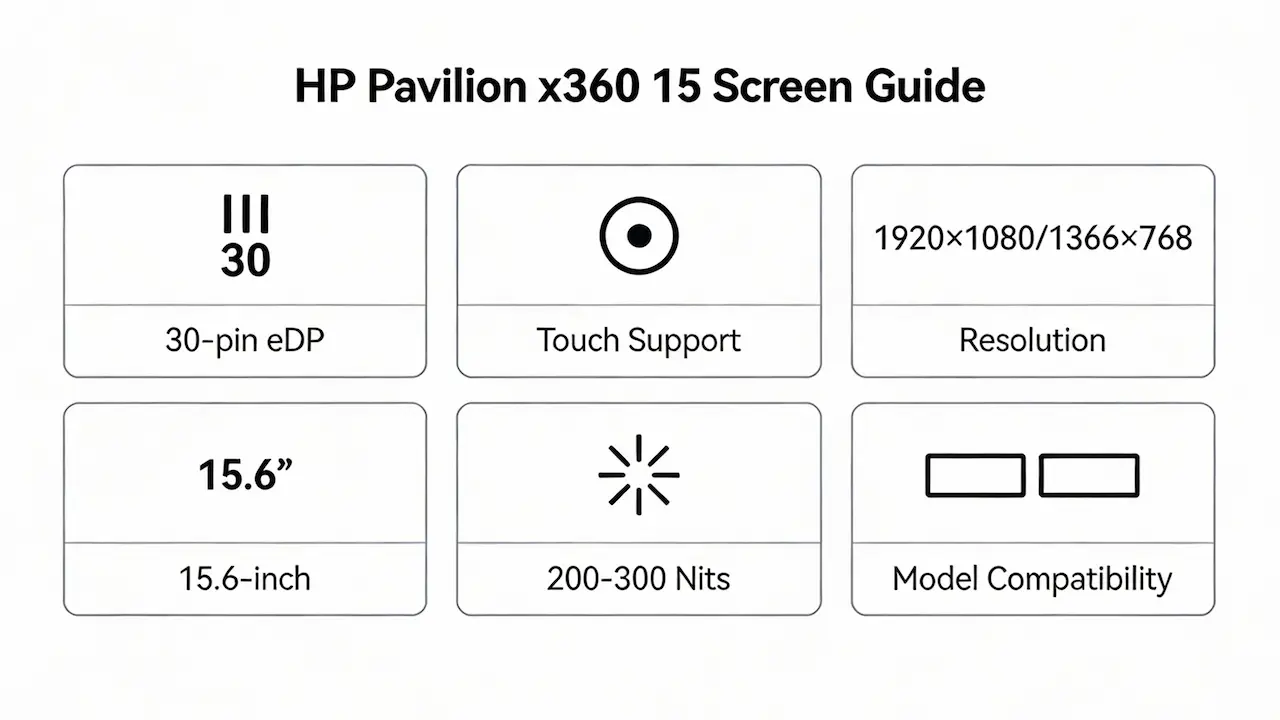
All variants use a 15.6-inch diagonal with 60Hz refresh rate and LED backlight.
The eDP interface is consistently 30-pin, but backlight pin assignment varies slightly between suppliers like BOE and LG.
Brightness ranges from 200 nits (15-br004nw) to 300 nits (15-cr0930nd with LP156WF6-SPD1).
Touch-enabled models integrate an on-cell digitizer, requiring both hardware support and UEFI firmware enablement.
Non-touch models lack the digitizer flex cable and controller IC on the motherboard—making touch retrofits impossible.

Want to dive deeper into LCD panel specifications—such as eDP interfaces, refresh rates, color gamuts, and quality grading? Consult the comprehensive Complete Guide to Laptop Display Specifications in 2025.

Can I upgrade to a higher-resolution or touch screen?

No, you cannot upgrade a non-touch 15-br004nw to a Full HD touch screen.
The motherboard lacks the digitizer controller and secondary flex connector required for touch functionality.
Even within touch models, resolution upgrades are not possible—all native panels are either 1366×768 or 1920×1080, with no QHD option ever released.
According to iFixit’s compatibility database, swapping a B156HTN04.2 (TN) into a 15-er0155ng chassis causes boot failure due to EDID mismatch.
Only same-spec replacements maintain full system stability and warranty-level reliability.

How does this model differ from similar-looking variants (e.g., 15-cr0001ng vs. 15-er0155ng)?

While 15-cr0001ng and 15-er0155ng share the same chassis and 30-pin eDP, their firmware and harness designs differ slightly.
Both support NV156FHM-N41 and LP156WF6-SPK1, but the 15-er series uses updated Goodix touch controllers, whereas 15-cr may use Atmel.
This can cause intermittent touch issues if panels are cross-installed without BIOS updates.
However, mechanical and electrical compatibility remains high—making them among the few cross-generational pairs that often work.
Never assume compatibility with 15-bk102ng or 15-br004nw—these lack touch infrastructure entirely.

Where can I verify screen compatibility before ordering?

Check your laptop’s bottom label for the full model number (e.g., 15-er0032ng).
Cross-reference it with the HP Spare Parts Catalog or official Maintenance and Service Guide on support.hp.com.
Use Panelook.com to look up your current panel’s OEM part number (visible via software like HWiNFO or by opening the bezel).
Compare brightnesstouch protocol, and supplier code—not just resolution or size.
Field reports from global repair networks confirm that 90% of failed replacements stem from ignoring these verification steps.

Need a guide for other HP Pavilion x360 models?

While all Pavilion x360 models share a convertible design, their screens are not interchangeable due to differences in eDP pin count, aspect ratio (16:9 vs. 16:10), and touch controller architecture. Consult our model-specific guides for other sizes:

Conclusion:We Are the distributer of BOE,LG,SAMSUNG,AUO,Innolux and Sharp Screen

We are the distributer of laptop screen panel For bulk compatibility verification, contact us with your full model number.

For more detailed information on HP laptop screen replacement strategies, including other models and series,visit our HP Laptop Screen Replacement Ultimate Guide.


Picture of Sharry Peng
Sharry Peng

Sharry Peng has spent 10 years specializing in laptop accessories, sharing clear, practical advice on power adapters, fans, keyboards, screens, and more. Passionate about helping users maintain and upgrade their laptops, Sharry hopes you find the guides helpful and easy to follow.

ASK FOR A quick quote

We will contact you within 24 Hours, please pay attention to the email with the suffix“@supelectron.com”

For all inquiries, please feel free to reach out at:

info@supelectron.com

