
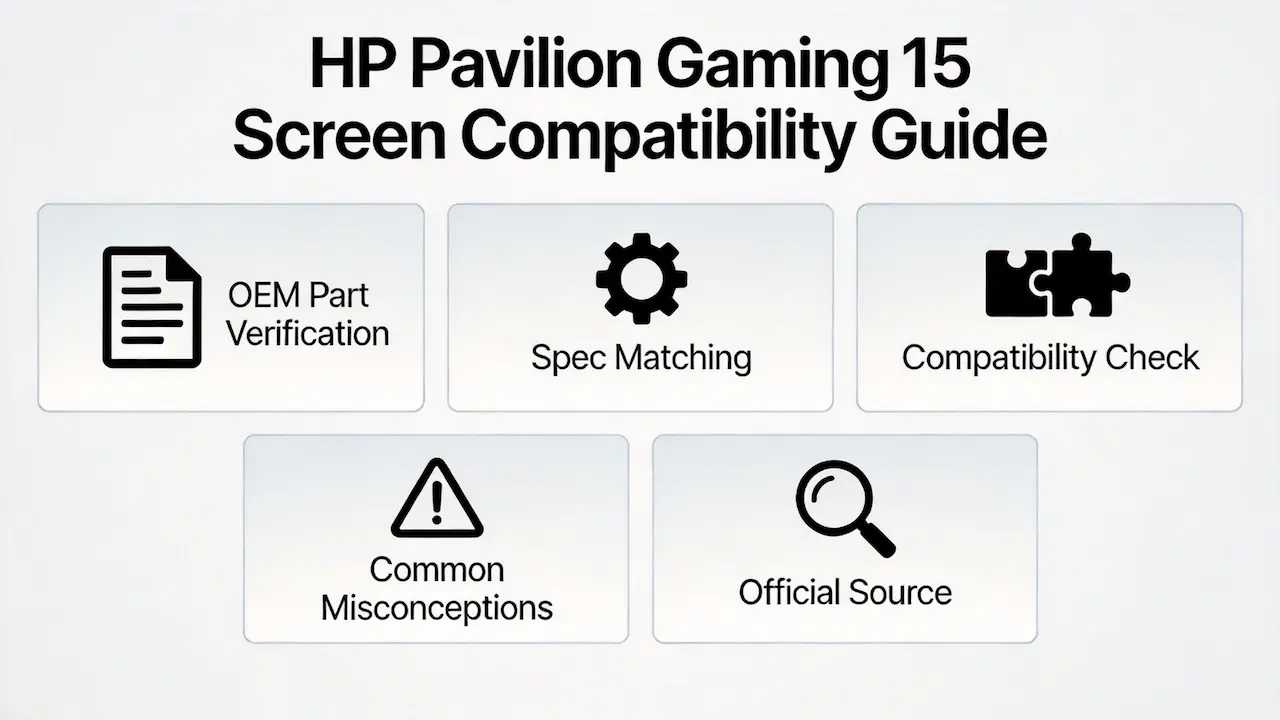
- Official HP resources:
- HP PartSurfer (https://partsurfer.hp.com/): Enter the full model number to find exact OEM screen part numbers and compatibility information
- HP Maintenance and Service Guide: Download the specific service manual for your 14-ce model to access detailed screen specifications
- Third-party verification tools:
- Panelook database (https://www.panelook.com/): Search for the panel model number to verify technical specifications and cross-compatibility
- iFixit compatibility database: Check community-contributed compatibility reports for specific 14-ce sub-models
- Verification steps for distributors:
- Step 1: Identify the exact model number from the laptop’s service tag (located on the bottom of the device)
- Step 2: Use HP PartSurfer to find the official OEM screen part number for that model
- Step 3: Cross-reference the part number with Panelook to confirm technical specifications
- Step 4: Order replacement screens from authorized distributors to ensure compatibility and quality
Imagine this scenario: A laptop parts distributor receives a bulk order for HP Pavilion Gaming 15 screens. They search “HP Pavilion Gaming 15 screen” online, select a 15.6-inch FHD panel that matches the advertised dimensions, and ship it to their customer. A week later, the entire shipment is returned with a single note: “Screens don’t work.” The distributor loses the sale, incurs return shipping costs, and damages their reputation with a key client.
This isn’t a hypothetical story—it’s a common problem in the laptop parts industry. The root cause? Relying on surface-level search criteria like “15.6-inch” or “HP Pavilion Gaming” instead of understanding the technical specifications that truly determine screen compatibility.
In this guide, we’ll break down the critical factors that determine whether a replacement screen will work with an HP Pavilion Gaming 15 laptop. We’ll cover the official specifications, common misconceptions, and provide a comprehensive compatibility table to help you avoid costly mistakes.
What is the HP Pavilion Gaming 15 series overview?
The HP Pavilion Gaming 15 series is a line of mid-range gaming laptops produced by HP from 2019 to 2025. Targeted at budget-conscious gamers and content creators, the series balances performance and affordability with AMD Ryzen processors and NVIDIA GeForce graphics cards.
According to the HP Maintenance and Service Guide (2022), the Pavilion Gaming 15 series uses two distinct screen configurations:
- 15.6-inch FHD (1920×1080) IPS panel with 60Hz refresh rate and 250 nits brightness
- 15.6-inch FHD (1920×1080) IPS panel with 144Hz refresh rate and 300 nits brightness
The series includes over 30 different sub-models, each with specific screen requirements that must be matched exactly for proper compatibility.
How are the HP Pavilion Gaming 15 models named?
HP uses a consistent naming convention for the Pavilion Gaming 15 series to differentiate between sub-models:
- The base model number (15-ec) indicates the series and generation
- The following digits (0002) indicate the specific configuration
- The final two letters (ng) indicate the region (ng for Germany, ns for Spain, etc.)
For example:
- HP Pavilion Gaming 15-ec0002ng: 15-inch Pavilion Gaming, ec series, configuration 0002, Germany
- HP Pavilion Gaming 15-ec1011ns: 15-inch Pavilion Gaming, ec series, configuration 1011, Spain
It’s important to note that the same configuration number can have different screen specifications depending on the region and production batch.
What is the exact screen model used in the HP Pavilion Gaming 15?
The HP Pavilion Gaming 15 series uses three main panel models from different manufacturers:
- AUO B156HAN08.2 (144Hz, 300 nits)
- BOE NV156FHM-N4K (144Hz, 300 nits)
- Innolux N156HCA-EBA (60Hz, 250 nits)
| Model Variant | Panel Model | Size | Resolution | Refresh Rate | Brightness | Panel Type | Touch? | Interface |
|---|---|---|---|---|---|---|---|---|
| HP Pavilion Gaming 15-ec0002ng | AUO B156HAN08.2 | 15.6″ | 1920×1080 | 144Hz | 300 nits | IPS | No | eDP 40-pin |
| HP Pavilion Gaming 15-ec0012ng | BOE NV156FHM-N4K | 15.6″ | 1920×1080 | 144Hz | 300 nits | IPS | No | eDP 40-pin |
| HP Pavilion Gaming 15-ec1206ng | AUO B156HAN08.0 | 15.6″ | 1920×1080 | 144Hz | 300 nits | IPS | No | eDP 40-pin |
| HP Pavilion Gaming 15-ec1011ns | Innolux N156HCA-EBA | 15.6″ | 1920×1080 | 60Hz | 250 nits | IPS | No | eDP 30-pin |
| HP Pavilion Gaming 15-ec1010ns | Innolux N156HCA-EBA | 15.6″ | 1920×1080 | 60Hz | 250 nits | IPS | No | eDP 30-pin |
| HP Pavilion Gaming 15-ec1012ns | Innolux N156HCA-EBA | 15.6″ | 1920×1080 | 60Hz | 250 nits | IPS | No | eDP 30-pin |
| HP Pavilion Gaming 15-ec1177ng | AUO B156HAN08.2 | 15.6″ | 1920×1080 | 144Hz | 300 nits | IPS | No | eDP 40-pin |
| HP Pavilion Gaming 15-ec1009ns | Innolux N156HCA-EBA | 15.6″ | 1920×1080 | 60Hz | 250 nits | IPS | No | eDP 30-pin |
| HP Pavilion Gaming 15-ec1001ns | Innolux N156HCA-EBA | 15.6″ | 1920×1080 | 60Hz | 250 nits | IPS | No | eDP 30-pin |
| HP Pavilion Gaming 15-ec1008ns | Innolux N156HCA-EBA | 15.6″ | 1920×1080 | 60Hz | 250 nits | IPS | No | eDP 30-pin |
| HP Pavilion Gaming 15-dk1041tx | AUO B156HAK02.0 | 15.6″ | 1920×1080 | 60Hz | 250 nits | IPS | No | eDP 30-pin |
| HP Pavilion Gaming 15-ec1158ng | BOE NV156FHM-N4K | 15.6″ | 1920×1080 | 144Hz | 300 nits | IPS | No | eDP 40-pin |
| HP Pavilion Gaming 15-ec1073dx | AUO B156HAN08.2 | 15.6″ | 1920×1080 | 144Hz | 300 nits | IPS | No | eDP 40-pin |
| HP Pavilion Gaming 15-ec2253ng | BOE NV156FHM-N4K | 15.6″ | 1920×1080 | 144Hz | 300 nits | IPS | No | eDP 40-pin |
| HP Pavilion Gaming 15-ec2025ns | Innolux N156HCA-EBA | 15.6″ | 1920×1080 | 60Hz | 250 nits | IPS | No | eDP 30-pin |
| HP Pavilion Gaming 15z-ec200 | AUO B156HAN08.2 | 15.6″ | 1920×1080 | 144Hz | 300 nits | IPS | No | eDP 40-pin |
| HP Pavilion Gaming 15-ec1013ns | Innolux N156HCA-EBA | 15.6″ | 1920×1080 | 60Hz | 250 nits | IPS | No | eDP 30-pin |
| HP Pavilion Gaming 15-ec2008ns | Innolux N156HCA-EBA | 15.6″ | 1920×1080 | 60Hz | 250 nits | IPS | No | eDP 30-pin |
| HP Pavilion Gaming 15-ec2007ns | Innolux N156HCA-EBA | 15.6″ | 1920×1080 | 60Hz | 250 nits | IPS | No | eDP 30-pin |
| HP Pavilion Gaming 15-ec1028ns | Innolux N156HCA-EBA | 15.6″ | 1920×1080 | 60Hz | 250 nits | IPS | No | eDP 30-pin |
| HP Pavilion Gaming 15-ec2009ns | Innolux N156HCA-EBA | 15.6″ | 1920×1080 | 60Hz | 250 nits | IPS | No | eDP 30-pin |
| HP Pavilion Gaming 15-ec2002ns | Innolux N156HCA-EBA | 15.6″ | 1920×1080 | 60Hz | 250 nits | IPS | No | eDP 30-pin |
| HP Pavilion Gaming 15-ec2005ns | Innolux N156HCA-EBA | 15.6″ | 1920×1080 | 60Hz | 250 nits | IPS | No | eDP 30-pin |
| HP Pavilion Gaming 15-ec2047AX | AUO B156HAN08.2 | 15.6″ | 1920×1080 | 144Hz | 300 nits | IPS | No | eDP 40-pin |
| HP Pavilion Gaming 15-ec2004ns | Innolux N156HCA-EBA | 15.6″ | 1920×1080 | 60Hz | 250 nits | IPS | No | eDP 30-pin |
| HP Pavilion Gaming 15-dk2002TX | AUO B156HAK02.0 | 15.6″ | 1920×1080 | 60Hz | 250 nits | IPS | No | eDP 30-pin |
| HP Pavilion Gaming 15-dk2070ng | AUO B156HAK02.0 | 15.6″ | 1920×1080 | 60Hz | 250 nits | IPS | No | eDP 30-pin |
| HP Pavilion Gaming 15-ec2010AX | AUO B156HAN08.2 | 15.6″ | 1920×1080 | 144Hz | 300 nits | IPS | No | eDP 40-pin |
| HP Pavilion Gaming 15-ec0022ax | BOE NV156FHM-N4K | 15.6″ | 1920×1080 | 144Hz | 300 nits | IPS | No | eDP 40-pin |
| HP Pavilion Gaming 15-ec0009ns | Innolux N156HCA-EBA | 15.6″ | 1920×1080 | 60Hz | 250 nits | IPS | No | eDP 30-pin |
| HP Pavilion Gaming 15-ec0003ns | Innolux N156HCA-EBA | 15.6″ | 1920×1080 | 60Hz | 250 nits | IPS | No | eDP 30-pin |
| HP Pavilion Gaming 15-ec0006ns | Innolux N156HCA-EBA | 15.6″ | 1920×1080 | 60Hz | 250 nits | IPS | No | eDP 30-pin |
| HP Gaming Pavilion 15-ec0001ns | Innolux N156HCA-EBA | 15.6″ | 1920×1080 | 60Hz | 250 nits | IPS | No | eDP 30-pin |
| HP Pavilion Gaming 15-ec0005ns | Innolux N156HCA-EBA | 15.6″ | 1920×1080 | 60Hz | 250 nits | IPS | No | eDP 30-pin |
| HP Pavilion Gaming 15-ec0014nl | AUO B156HAN08.2 | 15.6″ | 1920×1080 | 144Hz | 300 nits | IPS | No | eDP 40-pin |
| HP Pavilion Gaming 15-ec1076ax | AUO B156HAN08.2 | 15.6″ | 1920×1080 | 144Hz | 300 nits | IPS | No | eDP 40-pin |
| HP Gaming Pavilion 15-ec1005ns | Innolux N156HCA-EBA | 15.6″ | 1920×1080 | 60Hz | 250 nits | IPS | No | eDP 30-pin |
What are the key technical specifications of the HP Pavilion Gaming 15 panel?
The HP Pavilion Gaming 15 series uses two main screen configurations, each with distinct technical specifications:
144Hz Gaming Configuration
- Panel Type: IPS (In-Plane Switching) for wide viewing angles and accurate color reproduction
- Resolution: 1920×1080 (Full HD) for sharp, detailed visuals
- Refresh Rate: 144Hz for smooth gameplay and reduced motion blur
- Brightness: 300 nits for clear visibility in bright environments
- Color Gamut: 72% NTSC for vibrant, accurate colors
- Interface: eDP 40-pin for high-speed data transfer
- Touch Support: No
60Hz Standard Configuration
- Panel Type: IPS (In-Plane Switching) for wide viewing angles
- Resolution: 1920×1080 (Full HD)
- Refresh Rate: 60Hz for everyday use and multimedia
- Brightness: 250 nits for standard indoor use
- Color Gamut: 45% NTSC for basic color reproduction
- Interface: eDP 30-pin for standard data transfer
- Touch Support: No
According to Panelook database, the AUO B156HAN08.2 panel used in 144Hz models has a response time of 5ms, making it ideal for fast-paced gaming.
What are the common misconceptions when purchasing the HP Pavilion Gaming 15 series screen panel?
There are several common misconceptions that lead to compatibility issues when purchasing replacement screens for the HP Pavilion Gaming 15 series:
- Misconception 1: All HP Pavilion Gaming 15 screens are the same
- Reality: The series uses multiple panel models with different specifications and interfaces
- Consequence: Purchasing a screen based solely on the series name can result in incompatibility
- Misconception 2: Any 15.6-inch FHD screen will work
- Reality: The eDP interface pin count (30-pin vs 40-pin) is critical for compatibility
- Consequence: A 15.6-inch FHD screen with the wrong pin count will not work with the laptop
- Misconception 3: Higher refresh rate screens are always better
- Reality: 144Hz screens require a 40-pin eDP interface, which is not available on all models
- Consequence: Attempting to upgrade a 60Hz model to 144Hz will fail due to interface incompatibility
- Misconception 4: OEM part numbers are interchangeable
- Reality: HP uses different OEM part numbers for the same panel model depending on the region and production batch
- Consequence: Relying solely on OEM part numbers can lead to purchasing the wrong screen
- Misconception 5: Touch screens can be installed on non-touch models
- Reality: Non-touch models lack the necessary controller and cable for touch functionality
- Consequence: Installing a touch screen on a non-touch model will result in non-functional touch capabilities
Where can I verify screen compatibility before ordering?
There are several reliable sources to verify screen compatibility for the HP Pavilion Gaming 15 series:
- HP PartSurfer: Official HP database that provides detailed part information for specific laptop models
- How to use: Enter the product number or serial number to view the official screen part number and specifications
- Panelook: Comprehensive database of laptop screen specifications from various manufacturers
- How to use: Search for the panel model number to view detailed technical specifications and compatibility information
- HP Maintenance and Service Guide: Official documentation that provides detailed information about laptop components and replacement procedures
- How to use: Search for the specific model number to view the official screen specifications and replacement instructions
- iFixit Compatibility Database: Community-driven database that provides compatibility information for laptop parts
- How to use: Search for the laptop model to view user-submitted compatibility information and replacement guides
- SUP Distributor Database: Comprehensive database of laptop screen specifications and compatibility information for B2B customers
- How to use: Contact SUP customer support to access the database and verify screen compatibility
Frequently Asked Questions (FAQ)
How much does it cost to replace an HP Pavilion gaming 15 screen?
The cost to replace an HP Pavilion Gaming 15 screen varies depending on the panel model and supplier:
- 60Hz standard configuration: $80-$100
- 144Hz gaming configuration: $100-$120
- Shipping and handling: $10-$20
What screen does HP Pavilion Gaming 15 use?
The HP Pavilion Gaming 15 series uses three main panel models:
- AUO B156HAN08.2 (144Hz, 300 nits)
- BOE NV156FHM-N4K (144Hz, 300 nits)
- Innolux N156HCA-EBA (60Hz, 250 nits)
Is HP Pavilion Gaming 15 screen touch?
No, all models in the HP Pavilion Gaming 15 series use non-touch screens. There are no touch screen options available for this series.
Conclusion
We are the distributor of BOE, LG, Samsung, AUO, Innolux, and Sharp screens, providing high-quality replacement panels for the HP Pavilion Gaming 15 series. Our extensive inventory includes all panel models used in the series, ensuring you can find the exact screen you need for any sub-model.
As a B2B distributor, we offer competitive pricing, flexible MOQ (minimum order quantity) requirements, and guaranteed compatibility for all our screens. Our team of technical experts can help you verify screen compatibility and provide guidance on selecting the right panel for your needs.
Contact us today to place your bulk order for HP Pavilion Gaming 15 replacement screens. We offer fast shipping worldwide and a 1-year warranty on all our products. Trust SUP for all your laptop screen replacement needs.



