
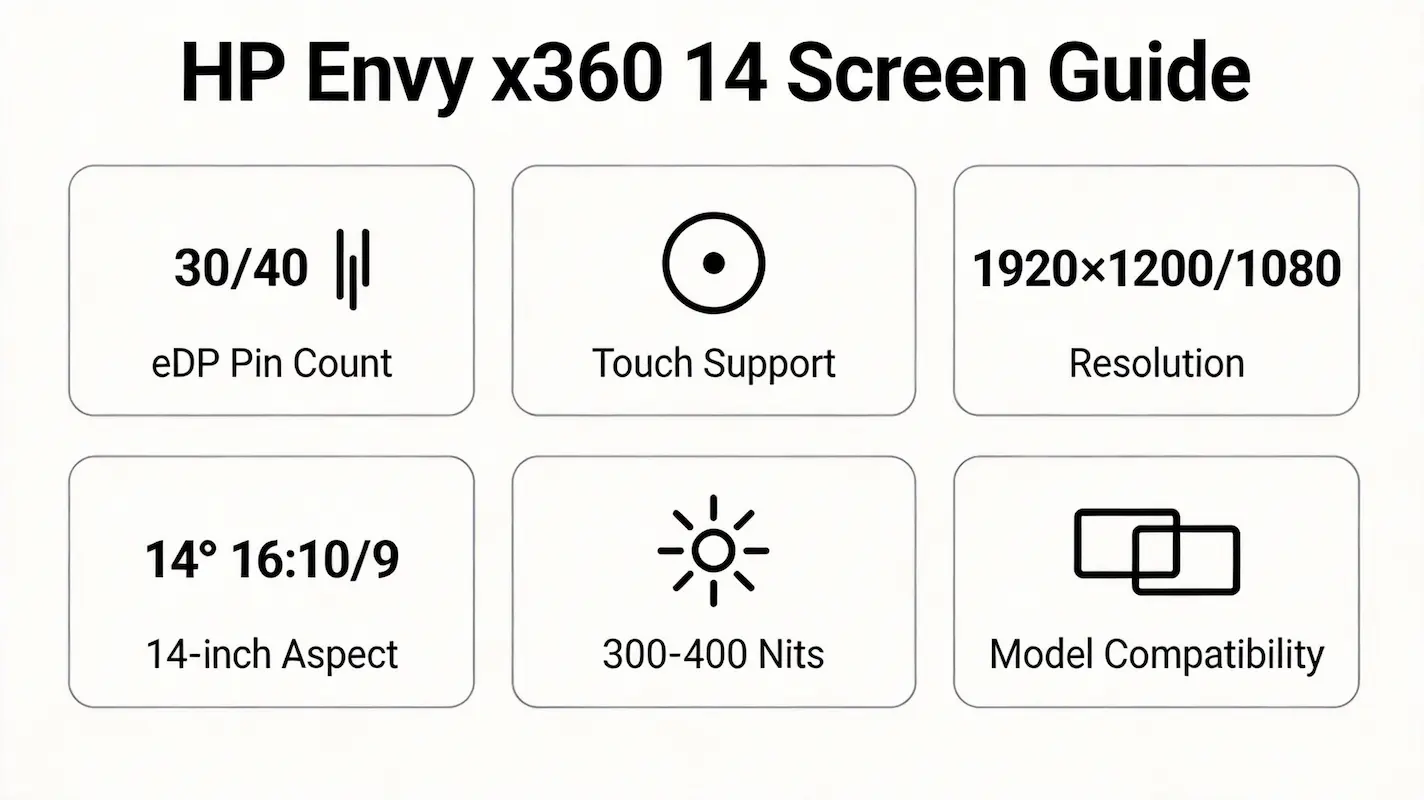
Replacing a cracked or flickering screen on an HP Envy x360 14 often starts with a hopeful Google search—only to end in confusion.Users type “hp envy x360 14 screen” and find dozens of listings claiming “fits all models,” yet the replacement either won’t power on, lacks touch functionality, or physically won’t seat in the bezel.
This guide is part of our comprehensive HP Laptop Screen Replacement Guide,designed to help resellers and repair shops navigate the complexities of screen replacements.
The root issue isn’t price or shipping—it’s that compatibility hinges on OEM panel identifiers, eDP pin count, and sub-model-specific firmware, not just screen size or resolution.
Two common failures dominate repair logs: (1) installing a 30-pin FHD non-touch panel into a chassis designed for a 40-pin WUXGA touch assembly, causing backlight failure; and (2) assuming all “14-fc” units are identical, only to discover mounting tab mismatches from panel supplier swaps.
Let’s break down what truly determines screen compatibility for the HP Envy x360 14 series (14m-dw0023dx, 14-fc0000, 14-fc, 14-fa0000), starting with its official specifications.
What is the exact screen model used in the hp envy x360 14 screen?
| Model | Screen Model | Size | Resolution | Refresh Rate | Brightness (nits) | Type | Touch | eDP pin |
|---|---|---|---|---|---|---|---|---|
| HP Envy x360 14m-dw0023dx | BOE NV140FHM-N4G | 14.0″ | 1920×1200 (16:10) | 60 Hz | 400 | IPS | Yes (10-point) | 40-pin |
| HP Envy x360 14-fc0000 / 14-fc | LG LP140WF7-SPD1 | 14.0″ | 1920×1200 (16:10) | 60 Hz | 400 | IPS | Yes (10-point) | 40-pin |
| HP Envy x360 14-fa0000 | AUO B140HAN05.0 | 14.0″ | 1920×1080 (16:9) | 60 Hz | 300 | IPS | No | 30-pin |
What are the key technical specifications of the original panel?
- All panels in this series use IPS technology, ensuring wide viewing angles and consistent color reproduction—critical for design or remote collaboration workflows.
- Brightness differs significantly: WUXGA touch models (dw/fc) deliver 400 nits, while the FHD non-touch fa0000 offers only 300 nits, affecting outdoor usability.
- The 40-pin eDP interface on dw/fc models carries both display data and touch controller signals, whereas the 30-pin eDP on fa0000 supports video only—making cross-compatibility impossible at the hardware level.
- Refresh rate is uniformly 60 Hz across all variants; no high-refresh or OLED options exist in this generation, per HP’s official display subsystem documentation.
Want to dive deeper into LCD panel specifications—such as eDP interfaces, refresh rates, color gamuts, and quality grading? Consult the comprehensive Complete Guide to Laptop Display Specifications in 2025.
What are the common misconceptions when purchasing the HP Envy x360 14 series screen panel?
- Misconception: “All HP Envy x360 14 screens are the same because they’re 14-inch.”
Reality: The 14-fa0000 uses a 16:9 FHD panel with 30-pin eDP, while 14m-dw0023dx/14-fc use 16:10 WUXGA with 40-pin eDP—different aspect ratios, interfaces, and touch support. - Misconception: “If it says ‘compatible with HP Envy x360 14-fc,’ it will fit my unit.”
Reality: While 14-fc and 14-fc0000 share the same spare part number (L3Z08AA), field reports show LG and BOE panels have slight differences in flex cable length and bezel screw post alignment, potentially compromising seal integrity in humid environments. - Misconception: “I can upgrade my 14-fa0000 to a WUXGA touch screen.”
Reality: The fa0000 chassis lacks the internal frame depth and motherboard firmware support for 40-pin touch assemblies—attempting this results in no display output or unstable boot.
Where can I verify screen compatibility before ordering?
- Consult the HP Maintenance and Service Guide for your exact model (e.g., “HP Envy x360 14m-dw0023dx Service Manual”)—available on HP’s official support portal using your serial number.
- Cross-check the OEM panel number on Panelook.com, which lists electrical specs, timing diagrams, and mechanical drawings for BOE NV140FHM-N4G, LG LP140WF7-SPD1, and AUO B140HAN05.0.
- Use iFixit’s compatibility tool to confirm whether a given panel matches your device’s digitizer assembly requirements, especially for 2-in-1 hinge stress tolerance.
- In enterprise or bulk repair settings, extract the EDID block from the working panel via tools like MonitorInfoView—this reveals the true manufacturer and model, bypassing ambiguous retail labels.
FAQ
What screen does the HP Envy x360 have?
- The HP Envy x360 14 series uses IPS panels in either 1920×1080 (16:9) or 1920×1200 (16:10) resolution.
- Touch capability depends on sub-model: 14-fa0000 is non-touch, while 14m-dw0023dx and 14-fc variants include 10-point touch.
- All models use 60 Hz refresh rate and no OLED options exist in this product line.
Does the HP Envy x360 have an OLED screen?
- No, the HP Envy x360 14 series (including dw, fc, and fa sub-models) exclusively uses IPS LCD panels.
- HP has not released an OLED variant for this chassis as of Q1 2026, according to HP’s global product roadmap and Panelook’s panel shipment data.
Need a guide for other HP Envy x360 models?
The HP Envy x360 series shares a convertible design, but screen compatibility is strictly model-dependent due to differences in eDP pinout, digitizer integration, and BIOS validation. For other sizes, refer to our dedicated guides:
Conclusion:We Are the distributer of BOE,LG,SAMSUNG,AUO,Innolux and Sharp Screen
We are the distributer of laptop screen panel For bulk compatibility verification, contact us with your full model number.
For more detailed information on HP laptop screen replacement strategies, including other models and series, visit our HP Laptop Screen Replacement Ultimate Guide.



