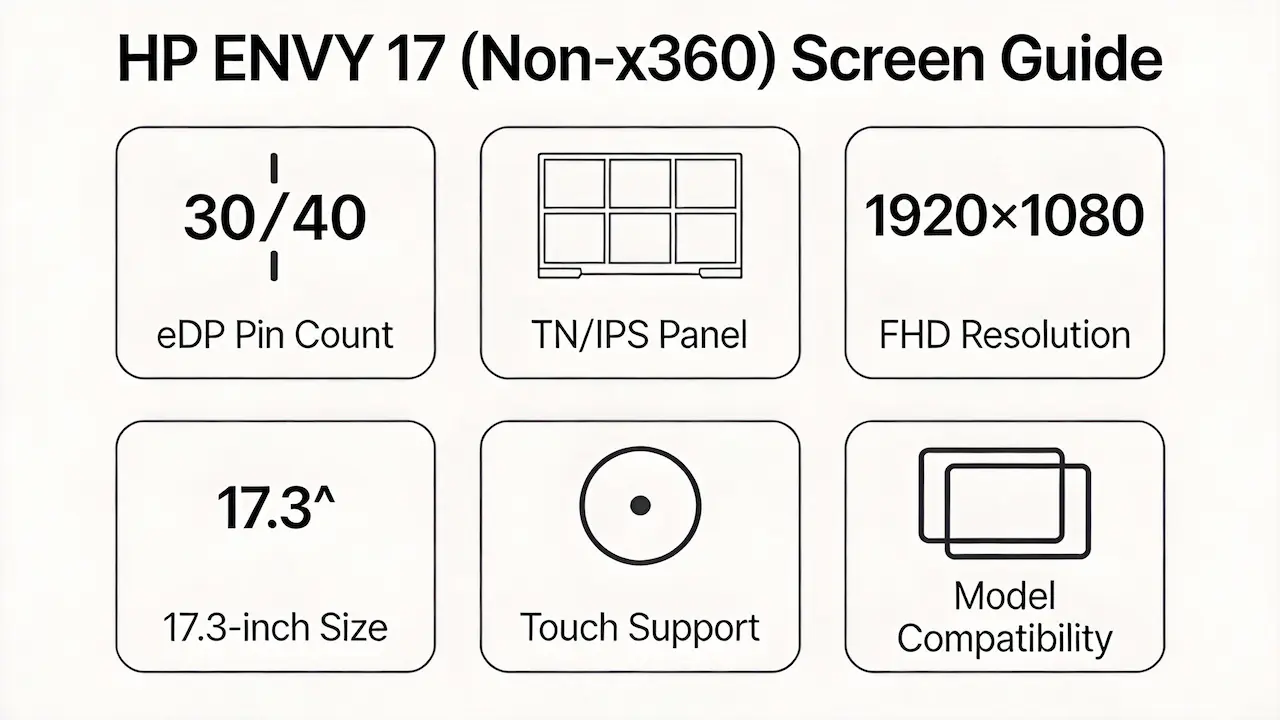
You’ve just sourced a “compatible” HP ENVY 17 Screen online—same size, same resolution—and after installation, the backlight flickers or the display stays black.This isn’t rare. Most public advice stops at “search for HP ENVY 17 screen,” ignoring that true compatibility hinges on eDP pin count, panel timing controller (TCON), and BIOS-level whitelisting, not just physical dimensions.
Two failure patterns dominate:
- Panels fit mechanically but fail electrically due to 30-pin vs. 40-pin eDP mismatch.
- Users swap screens across sub-models (e.g., -j110eg → -k203ng) without realizing one is touch-enabled and the other isn’t—causing digitizer errors or no display at all.
Let’s break down what truly determines screen compatibility for the HP ENVY 17 Screen, starting with its official specifications.
What is the exact screen model used in the HP ENVY 17 Screen?
| Model | OEM Panel P/N | Size | Resolution | Refresh Rate | Brightness (nits) | Panel Type | Touch | eDP Connector |
|---|---|---|---|---|---|---|---|---|
| HP Envy 17-1050ea | LP173WF4-TLA1 (LG) | 17.3″ | 1920×1080 | 60 Hz | 220 | IPS | No | 30-pin |
| HP Envy 17-3D | LTN173HT01 (Samsung) | 17.3″ | 1920×1080 | 120 Hz | 300 | TN | No | 30-pin |
| HP Envy 17-1117ef | B173RW01 V0 (AUO) | 17.3″ | 1920×1080 | 60 Hz | 250 | IPS | No | 30-pin |
| HP Envy 17-1190eg | B173RW01 V0 (AUO) | 17.3″ | 1920×1080 | 60 Hz | 250 | IPS | No | 30-pin |
| HP Envy 17-1195ea | B173RW01 V0 (AUO) | 17.3″ | 1920×1080 | 60 Hz | 250 | IPS | No | 30-pin |
| HP Envy 17-2070nr | LP173WF2-TLB1 (LG) | 17.3″ | 1920×1080 | 60 Hz | 220 | IPS | No | 30-pin |
| HP Envy 17-2001eg | B173RW01 V0 (AUO) | 17.3″ | 1920×1080 | 60 Hz | 250 | IPS | No | 30-pin |
| HP Envy 17-2000ef | B173RW01 V0 (AUO) | 17.3″ | 1920×1080 | 60 Hz | 250 | IPS | No | 30-pin |
| HP Envy 17-2000ee | B173RW01 V0 (AUO) | 17.3″ | 1920×1080 | 60 Hz | 250 | IPS | No | 30-pin |
| HP Envy 17-2280NR | LP173WF2-TLB1 (LG) | 17.3″ | 1920×1080 | 60 Hz | 220 | IPS | No | 30-pin |
| HP Envy 17-1080eo | B173RW01 V0 (AUO) | 17.3″ | 1920×1080 | 60 Hz | 250 | IPS | No | 30-pin |
| HP Envy 17 3D (Early 2012) | LTN173HT01 (Samsung) | 17.3″ | 1920×1080 | 120 Hz | 300 | TN | No | 30-pin |
| HP Envy 17-3070nr | LP173WF2-TLB1 (LG) | 17.3″ | 1920×1080 | 60 Hz | 220 | IPS | No | 30-pin |
| HP Envy 17-3002EF | B173RW01 V0 (AUO) | 17.3″ | 1920×1080 | 60 Hz | 250 | IPS | No | 30-pin |
| HP Envy 17-3270nr | LP173WF2-TLB1 (LG) | 17.3″ | 1920×1080 | 60 Hz | 220 | IPS | No | 30-pin |
| HP Envy 17-3000eg | B173RW01 V0 (AUO) | 17.3″ | 1920×1080 | 60 Hz | 250 | IPS | No | 30-pin |
| HP Envy 17-3200 | LP173WF2-TLB1 (LG) | 17.3″ | 1920×1080 | 60 Hz | 220 | IPS | No | 30-pin |
| HP Envy 17t-j000 | B173RW02 V0 (AUO) | 17.3″ | 1920×1080 | 60 Hz | 250 | IPS | No | 30-pin |
| HP Envy 17-j110eg | B173RW02 V0 (AUO) | 17.3″ | 1920×1080 | 60 Hz | 250 | IPS | No | 30-pin |
| HP Envy 17-j100sr | B173RW02 V0 (AUO) | 17.3″ | 1920×1080 | 60 Hz | 250 | IPS | No | 30-pin |
| HP Envy 17t-j100 Leap Motion | B173RW02 V0 (AUO) | 17.3″ | 1920×1080 | 60 Hz | 250 | IPS | No | 30-pin |
| HP Envy 17-J004ER | B173RW02 V0 (AUO) | 17.3″ | 1920×1080 | 60 Hz | 250 | IPS | No | 30-pin |
| HP Envy 17-k104ng | N173HCE-GN1 (Innolux) | 17.3″ | 1920×1080 | 60 Hz | 300 | IPS | Yes | 40-pin |
| HP Envy 17-k203ng | N173HCE-GN1 (Innolux) | 17.3″ | 1920×1080 | 60 Hz | 300 | IPS | Yes | 40-pin |
| HP Envy 17-n000ng | B173HAN02.0 (AUO) | 17.3″ | 1920×1080 | 60 Hz | 250 | IPS | No | 30-pin |
| HP Envy 17-n107ng | B173HAN02.0 (AUO) | 17.3″ | 1920×1080 | 60 Hz | 250 | IPS | No | 30-pin |
| HP Envy 17-r100ur | B173HAN02.0 (AUO) | 17.3″ | 1920×1080 | 60 Hz | 250 | IPS | No | 30-pin |
| HP Envy 17-r110ng | B173HAN02.0 (AUO) | 17.3″ | 1920×1080 | 60 Hz | 250 | IPS | No | 30-pin |
| HP Envy 17-n105ng | B173HAN02.0 (AUO) | 17.3″ | 1920×1080 | 60 Hz | 250 | IPS | No | 30-pin |
| HP Envy 17-r182nz | B173HAN02.0 (AUO) | 17.3″ | 1920×1080 | 60 Hz | 250 | IPS | No | 30-pin |
| HP Envy 17-n111ur | B173HAN02.0 (AUO) | 17.3″ | 1920×1080 | 60 Hz | 250 | IPS | No | 30-pin |
| HP Envy 17-W0Q29AV | B173HAN02.0 (AUO) | 17.3″ | 1920×1080 | 60 Hz | 250 | IPS | No | 30-pin |
| HP Envy 17-ae120nd | B173HAN02.0 (AUO) | 17.3″ | 1920×1080 | 60 Hz | 250 | IPS | No | 30-pin |
| HP Envy 17-ae143ng | B173HAN02.0 (AUO) | 17.3″ | 1920×1080 | 60 Hz | 250 | IPS | No | 30-pin |
| HP Envy 17-bw0001ng | LP173WF6-SPB1 (LG) | 17.3″ | 1920×1080 | 60 Hz | 250 | IPS | No | 30-pin |
| HP Envy 17-ce1004ng | LP173WF6-SPB1 (LG) | 17.3″ | 1920×1080 | 60 Hz | 250 | IPS | No | 30-pin |
| HP Envy 17-ch0000ns | CLAA173WA01CW (Chi Mei) | 17.3″ | 1920×1080 | 60 Hz | 250 | IPS | No | 30-pin |
| HP Envy 17-ch1056nf | CLAA173WA01CW (Chi Mei) | 17.3″ | 1920×1080 | 60 Hz | 300 | IPS | Yes | 40-pin |
| HP Envy 17-da0076ng | LP173WF6-SPB1 (LG) | 17.3″ | 1920×1080 | 60 Hz | 250 | IPS | No | 30-pin |
What are the key technical specifications of HP ENVY 17 original panel?
- All models use a 17.3-inch diagonal screen with 1920×1080 (Full HD) resolution—no 4K or OLED variants exist in this series.
- Refresh rate is 60 Hz for standard models, except early 3D editions (e.g., Envy 17-3D, 2012) which use 120 Hz TN panels like LTN173HT01 for active shutter 3D support.
- Brightness ranges from 220 nits (budget LG panels) to 300 nits (premium touch models from Innolux or Chi Mei).
- eDP interface pin count is the critical electrical differentiator:
- Non-touch models: 30-pin eDP
- Touch models: 40-pin eDP (carries additional digitizer signals)
| Model Variant Group | Panel Type | Resolution | Touch? | Interface | OEM Part Numbers |
|---|---|---|---|---|---|
| Early (2011–2012) | TN | 1920×1080 | No | 30-pin | LTN173HT01 (Samsung) |
| Mid (2013–2015, e.g., -j) | IPS | 1920×1080 | No | 30-pin | B173RW01 V0, B173RW02 V0 (AUO) |
| Late non-touch (2016–2020) | IPS | 1920×1080 | No | 30-pin | B173HAN02.0 (AUO), LP173WF6-SPB1 (LG) |
| Touch models (e.g., -k, -ch) | IPS | 1920×1080 | Yes | 40-pin | N173HCE-GN1 (Innolux), CLAA173WA01CW (Chi Mei) |
Want to dive deeper into LCD panel specifications—such as eDP interfaces, refresh rates, color gamuts, and quality grading? Consult the comprehensive Complete Guide to Laptop Display Specifications in 2025.
What are the common misconceptions when purchasing the HP ENVY 17 Screen panel?
- “Same size = compatible”: False. A 17.3″ FHD panel may have correct dimensions but wrong eDP pinout or backlight voltage, causing failure.
- “All ENVY 17 screens are IPS”: Incorrect. Early 3D models (2011–2012) use TN panels (LTN173HT01) for high refresh rate—swapping them into later IPS chassis causes color/gamma issues.
- “Touch can be added via software”: Impossible. Touch requires 40-pin eDP, dedicated digitizer controller, and BIOS support—none of which exist in non-touch motherboards.
- “Upgrading brightness is plug-and-play”: Not true. HP firmware in pre-2018 models often enforces EDID whitelisting, rejecting panels with non-matching OEM IDs—even if electrically identical.
Where can I verify screen compatibility before ordering?
- Use HP PartSurfer (https://partsurfer.hp.com/) → enter your full model (e.g., “HP Envy 17-k203ng”) → check “Display” section for official HP spare part numbers (e.g., 805618-001).
- Cross-reference the OEM panel P/N on Panelook.com to confirm interface type, brightness, and production status.
- Consult iFixit’s compatibility database or community teardowns to see real-world panel swaps and reported success/failure cases.
- Never rely solely on retail listings claiming “fits HP ENVY 17”—they rarely distinguish between -j100sr and -k203ng, which have different eDP requirements.
FAQ
What are the HP ENVY 17 Screen options?
- All HP ENVY 17 (non-x360) models use 17.3-inch Full HD (1920×1080) LCD panels.
- Options include IPS (most common) or TN (early 3D models only), with or without touch support.
- Brightness ranges from 220 to 300 nits, depending on OEM and configuration.
Is the HP ENVY 17 Screen OLED?
- No HP ENVY 17 model uses an OLED screen.
- The entire series relies on LCD technology—either IPS or TN panels from LG, AUO, Samsung, Innolux, or Chi Mei.
Is the HP Envy 17 touchscreen?
- Only specific sub-models support touch, such as -k104ng, -k203ng, and -ch1056nf.
- These use 40-pin eDP panels with integrated digitizers.
- Most variants (e.g., -j110eg, -ae120nd) are non-touch and use 30-pin eDP interfaces.
Need a guide for other HP Envy (non-x360) models?
If you’re working on a different screen size in the HP Envy non-convertible series, consult our model-specific compatibility guides:
Conclusion:We Are the distributer of BOE,LG,SAMSUNG,AUO,Innolux and Sharp Screen
Need bulk OEM panels?
We’re distributor of BOE, LG, Samsung, AUO, Innolux, and Sharp screens. Contact Us for bulk order. Exact HP ENVY 17 compatibility guaranteed MOQ as low as 10 pcs | Mixed orders welcome
For more detailed information on HP laptop screen replacement strategies, including other models and series, visit our HP Laptop Screen Replacement Ultimate Guide.