You’ve sourced a “compatible” HP ENVY 16 Screen based on size and resolution—only to power on and see a blank display, flickering image, or BIOS error.Generic advice like “just match the resolution” ignores critical compatibility layers that determine whether a panel functions at all.
This guide is part of our comprehensive HP Laptop Screen Replacement Guide,designed to help resellers and repair shops navigate the complexities of screen replacements.
In practice, two common failures dominate: (1) panels with matching physical dimensions but incompatible eDP timing controllers (TCON) or EDID firmware, and (2) replacements selected without verifying the exact sub-model suffix (e.g., h0112nr vs. h1000), leading to resolution mismatches or backlight incompatibility.
Let’s break down what truly determines screen compatibility for the HP ENVY 16 Screen, starting with its official specifications.
What is the exact screen model used in the HP ENVY 16 Screen?
- The HP ENVY 16 (non-x360) uses multiple OEM panels depending on the precise sub-model, as confirmed by HP PartSurfer and Panelook.
- For example, the Envy 16-h0787nr and -h0795ng share the same WQXGA (2560×1600) panel options: BOE NE160QDM-NY1 or LG LP160QH1-SPB1—both non-touch, 40-pin eDP, 500-nit IPS displays.
- In contrast, the Envy 16 h0112nr ships with the AUO B160HAN04.0, a lower-resolution FHD+ (1920×1200) panel with 400 nits brightness.
- The high-end Envy 16-h1000 uses the LG LP160WH5-SPE1, a UHD+ (3840×2400), 600-nit IPS panel—electrically and optically distinct from other variants.
- According to the HP Maintenance and Service Guide (2023), each configuration has a unique Field Replaceable Unit (FRU) number tied to its panel assembly.
| Model Variant | Panel Type | Resolution | Touch? | Interface | OEM Part Numbers |
|---|---|---|---|---|---|
| Envy 16-h0787nr | IPS | 2560×1600 | No | 40-pin | BOE NE160QDM-NY1 / LG LP160QH1-SPB1 |
| Envy 16-h0795ng | IPS | 2560×1600 | No | 40-pin | BOE NE160QDM-NY1 |
| Envy 16 h0112nr | IPS | 1920×1200 | No | 40-pin | AUO B160HAN04.0 |
| Envy 16-h1000 | IPS | 3840×2400 | No | 40-pin | LG LP160WH5-SPE1 |
What are the key technical specifications of the ENVY 16 original panel?
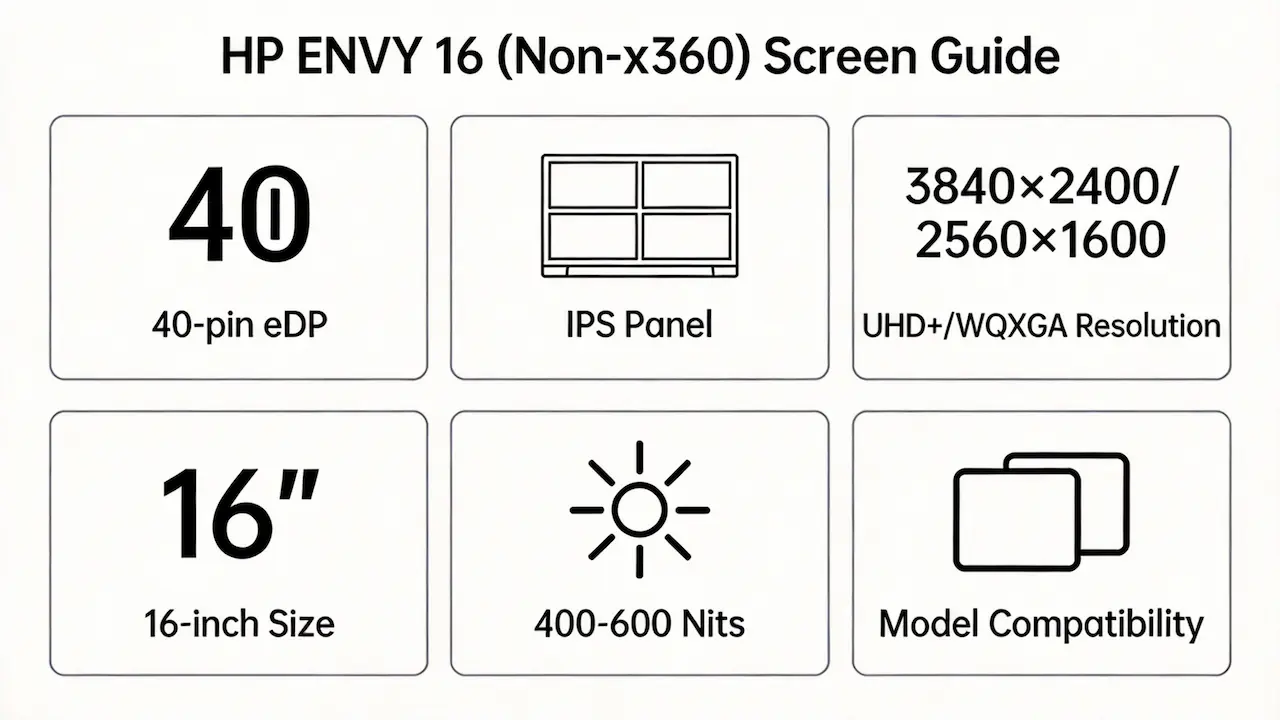
- All HP ENVY 16 (non-x360) screens use a 40-pin eDP 1.4 interface, but this alone does not guarantee compatibility due to differences in lane count, clock frequency, and backlight control protocol.
- Brightness ranges from 400 nits (AUO B160HAN04.0) to 600 nits (LG LP160WH5-SPE1), affecting thermal design and power delivery—critical for service technicians evaluating drop-in replacements.
- None of the models support OLED, touch, or HDR; all are standard dynamic range (SDR), 60Hz refresh rate, IPS panels.
- A real-world scenario: installing a WQXGA panel into an h0112nr chassis may fit mechanically, but the motherboard’s GPU bandwidth allocation and VBIOS EDID table only support FHD+, causing boot failure or reduced resolution fallback.
- Panel thickness and bezel mounting tabs also vary subtly between suppliers—even within the same resolution tier—potentially interfering with hinge closure or webcam alignment.
Want to dive deeper into LCD panel specifications—such as eDP interfaces, refresh rates, color gamuts, and quality grading? Consult the comprehensive Complete Guide to Laptop Display Specifications in 2025.
What are the common misconceptions when purchasing the HP ENVY 16 Screen panel?
- Myth: “If it’s 16-inch and WQXGA, it will work.”
Reality: The h0112nr (FHD+) and h1000 (UHD+) share the same chassis but require entirely different timing controller (TCON) firmware and LVDS-to-eDP bridge logic. - Myth: “All non-touch ENVY 16 screens are interchangeable.”
Reality: HP’s BIOS validates panel ID via EDID; mismatched OEM part numbers (e.g., substituting AUO for BOE) often trigger “unsupported display” errors. - Myth: “I can upgrade from FHD+ to UHD+ easily.”
Reality: The h1000’s UHD+ panel requires a higher-bandwidth eDP link (4 lanes @ 5.4 Gbps) and dedicated power circuitry absent in base models—firmware blocks initialization on non-native hardware. - Retail listings often omit OEM panel codes, advertising only “for HP ENVY 16”—a dangerously vague claim that ignores sub-model fragmentation verified in iFixit’s compatibility database.
Where can I verify screen compatibility before ordering?
- Use HP PartSurfer (partsurfer.hp.com) and enter your full model number (e.g., h0787nr) to retrieve the official FRU part number for the display assembly.
- Cross-reference the FRU with Panelook.com to confirm the exact panel manufacturer, model, and spec sheet (including eDP pinout, VDD voltage, and backlight current).
- Check HP’s Maintenance and Service Guide for your region-specific variant—some EU/Asia models use different panels than US SKUs despite identical naming.
- Avoid generic marketplaces that list panels by “fits HP ENVY 16” without specifying OEM part numbers like NE160QDM-NY1 or LP160WH5-SPE1—these lack traceability to technical validation.
FAQ
What are the HP ENVY 16 Screen options?
- The HP ENVY 16 (non-x360) offers three native resolutions: FHD+ (1920×1200), WQXGA (2560×1600), and UHD+ (3840×2400).
- All use IPS technology, 60Hz refresh rate, and non-touch designs.
- Panel suppliers include BOE, LG, and AUO, with brightness ranging from 400 to 600 nits.
Is the HP ENVY 16 Screen OLED?
- No.
- All HP ENVY 16 (non-x360) models use non-OLED IPS panels.
- HP does not offer an OLED configuration in this series as of 2026.
Is the HP Envy 16 touchscreen?
- The standard HP ENVY 16 (non-x360) line does not include touch capability.
- Touchscreen functionality is exclusive to the ENVY x360 convertible series.
- Verify your model suffix—none of the h0xxx or h1xxx non-x360 variants support touch input.
Need a guide for other HP Envy (non-x360) models?
If you’re working on a different screen size in the HP Envy non-convertible series, consult our model-specific compatibility guides:
Conclusion
We’re distributor of BOE, LG, Samsung, AUO, Innolux, and Sharp screens. Contact Us for bulk order.
 Exact HP ENVY 16 compatibility guaranteed MOQ as low as 10 pcs | Mixed orders welcome