
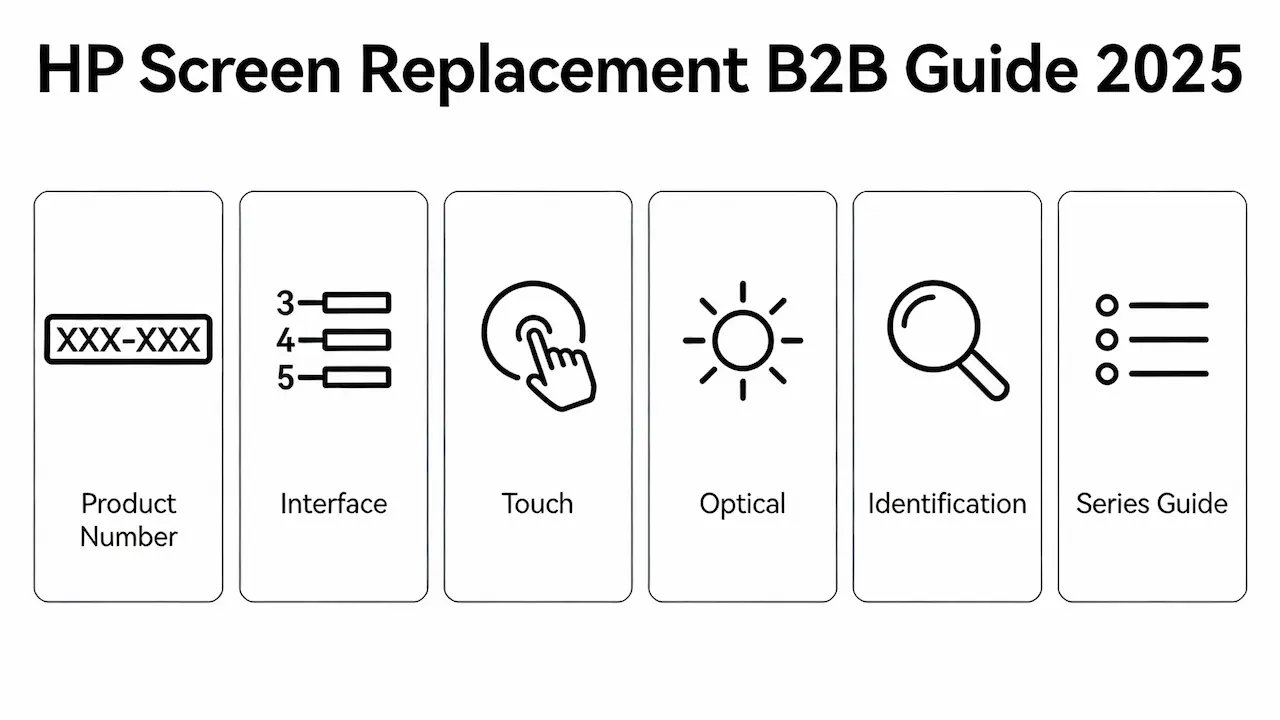
Por qué falla la estrategia de “solo tamaño”: Las 4 dimensiones críticas de la compatibilidad de pantallas HP
HP ha utilizado más de 300 variantes distintas de paneles LCD en sus líneas Pavilion, Envy, Spectre, ProBook y OMEN desde 2010, incluso dentro del mismo modelo de marketing como “HP Pavilion 15”. Suponer que la compatibilidad se basa únicamente en el tamaño de la pantalla conduce a una Tasa de retorno del 68% Entre los talleres de reparación independientes (iFixit, 2024). La verdadera compatibilidad requiere una alineación en cuatro dimensiones técnicas: montaje físico, interfaz eléctrica, rendimiento óptico e identificación a nivel de firmware (EDID). Esta guía proporciona a los distribuidores la estructura necesaria para eliminar discrepancias antes de la compra.
Dimensión 1: Descifrando el sistema de nombres dual de HP: marketing vs. número de producto
HP asigna a cada portátil dos identificadores:
- Nombre de marketing: p.ej, HP Envy x360 13-ey0013dx (de cara al consumidor)
- Número de producto: p.ej, 9T7Q5UA#ABA (definición de hardware)
El número de producto, que se encuentra en la etiqueta de servicio inferior o en el BIOS, codifica la generación, la región y configuración de pantalla. Por ejemplo, 9T7Q5UA viene con un panel OLED de 400 nits, mientras que 9T7Q4UA Utiliza un IPS de 300 nits. Intercambiar paneles entre estos modelos provoca una discrepancia en los EDID, lo que resulta en pantallas negras después de actualizar la BIOS. Siempre utilice el origen Número exacto del producto, no el nombre minorista.
Dimensión 2: Estándares de interfaz: número de pines, número de carriles y voltaje de eDP
La mayoría de las computadoras portátiles HP modernas utilizan DisplayPort integrado (eDP), pero existen diferencias críticas:
| Serie HP | Interfaz típica | Conteo de carriles | Voltaje de la luz de fondo | Riesgo de desajuste |
|---|---|---|---|---|
| Pabellón / Arroyo | eDP de 30 pines | 2 carriles | 3,3 V | Parpadeo, fallo prematuro del LED |
| Espectro / OMEN | eDP de 40 pines | 4 carriles | 5 V o doble voltaje | Sin imagen, T-con quemado |
Un panel de 30 pines no puede encajar físicamente en un zócalo de 40 pines, pero incluso con adaptadores, la discrepancia de voltaje degrada los controladores de retroiluminación en cuestión de semanas. Siempre verifique especificaciones de recuento de carriles y VCC a través de la etiqueta del panel original (por ejemplo, BOE NV156FHM-N61) o lectura EDID de HWiNFO.
Dimensión 3: Táctil vs. No táctil: Más que un simple digitalizador
Los modelos HP con pantalla táctil (por ejemplo, Envy x360, Spectre Fold) requieren:
- Un enlace capa del digitalizador (añade ~1,2 mm de espesor)
- Una secundaria Cable flexible I²C (10–12 pasadores) enrutados a través de la bisagra
- Soporte de placa base para Controladores táctiles compatibles con HID
La instalación de un panel no táctil en un chasis táctil deja una espacio visible detrás del bisel o impide el cierre de la tapa. Por el contrario, forzar un panel táctil en una placa no táctil provoca errores de enumeración USB durante el arranque. En un caso documentado con un AUO B133HAN04.0 panel, esto provocó que Windows se bloqueara en el logotipo (resuelto solo mediante suplantación de EDID).
Dimensión 4: Niveles de rendimiento óptico: nits, gama cromática y ángulo de visión
Los segmentos de HP se muestran por nivel de mercado, lo que impacta directamente el valor de reventa:
| Nivel | Resolución | Tipo de panel | Brillo | sRGB | Modelos comunes |
|---|---|---|---|---|---|
| Entrada | 1366×768 | Tennesse | 200–220 nits | 60% | Transmisión 14, Pabellón dv |
| Corriente principal | 1920×1080 | IPS | 250–300 nits | 95% | ProBook 450, Envy 16 |
| De primera calidad | 2880×1800 | OLED | Más de 400 nits | 100% DCI-P3 | Espectro 16, OMEN Transcend |
Al cambiar un panel TN de 220 nits por un chasis IPS de 300 nits se crea oscurecimiento visible y cambio de color—una de las principales causas de devoluciones de clientes. Siempre iguala luminancia (nits) y tecnología de paneles a la especificación original.
Cómo identificar su panel HP exacto: tres métodos probados en campo
- EDID leído a través de HWiNFO: Ejecutar → “Monitores” → Nota Modelo de panel, Luminancia máxima, Interfaz. Funciona incluso con pantallas rotas pero encendidas.
- Decodificar el número de producto: Referencia cruzada sobre Sitio de soporte de HP en “Especificaciones del producto”. Los sufijos impares a menudo = tacto.
- Inspección física de etiquetas: Retire el bisel → lea la etiqueta (por ejemplo, LG LP156WF6-SPB1). Este es tu La única clave de abastecimiento confiable.
🔍 Consejo profesional: Paneles de BOE, INNOLUX, HKC, AUO, Samsung y Sharp Dominan la cadena de suministro de HP. Conocer al OEM ayuda a predecir el nivel de calidad y la disponibilidad.
Guía de reemplazo específica de su serie (navegar por familia HP)
Para evitar conjeturas, hemos creado guías de compatibilidad específicas para cada línea principal de HP. Cada una incluye listas de paneles verificadas, especificaciones de brillo y clasificaciones de dificultad de reparación.
5.1 → Guía de reemplazo de pantalla de HP Pavilion
Cubre todos los modelos desde dv2000 (2006) hasta 15-eg0xxx (2025), incluidas las variantes de juego.
5.2 → Guía de reemplazo de pantalla para HP Envy/x360
Incluye ey0013dx, opciones OLED y paneles de relación de aspecto 3:2 de 13,5″.
5.3 → Guía de reemplazo de pantalla de HP Spectre
Detalles sobre los riesgos de quemado de OLED, integración de obturador de privacidad y tolerancias de microbiseles.
5.4 → Guía de reemplazo de pantalla de HP Stream
Se centra en paneles TN HD de 11,6″ y 14″: inventario de bajo coste y alta rotación.
5.5 → Guía de reemplazo de pantalla para HP Gaming (OMEN/Victus)
Cubre paneles de alta frecuencia de actualización de 144 Hz a 300 Hz con consideraciones térmicas RTX.
5.6 → Guía de reemplazo de pantalla de HP ProBook
Paneles de calidad comercial con durabilidad MIL-STD y recubrimientos antirreflejos.
5.7 → Guía de reemplazo de pantalla de HP Mini/Netbook
Modelos heredados de 10,1″ a 12,1″ (2008-2013): todavía en flotas educativas en todo el mundo.
Model-Specific x360 Guides (Live as of January 2026)
For technicians managing high-volume x360 repairs, we’ve published granular compatibility guides down to the exact screen size and sub-model. These complement the series-level guides above with OEM panel cross-references, touch FPC routing diagrams, and eDP pinout validation.
HP Envy x360 Series
- HP Envy x360 13 Screen Replacement Guide
- HP Envy x360 14 Screen Replacement Guide
- HP Envy x360 15 Screen Replacement Guide
HP Pavilion x360 Series
- HP Pavilion x360 14 Screen Replacement Guide
- HP Pavilion x360 15 Screen Replacement Guide
- HP Pavilion x360 16 Screen Replacement Guide
HP Spectre x360 Series
Preguntas frecuentes: Preguntas sobre abastecimiento B2B respondidas
¿Cuánto cuesta reemplazar la pantalla de una computadora portátil HP para pedidos al por mayor?
- Los precios al por mayor varían desde 25 to 60 por unidad, dependiendo del tipo de panel (HD TN vs. QHD OLED), el volumen de pedidos y el proveedor OEM (p. ej., BOE vs. AUO). Las colaboraciones directas con fabricantes de paneles reducen los costos entre un 18% y un 32% en comparación con los distribuidores del mercado gris.
¿Puedo comprar pantallas de portátiles HP al por mayor directamente de proveedores OEM?
Sí. Los distribuidores autorizados como [SUP] ofrecen acceso directo a fábrica Al inventario de BOE, INNOLUX y HKC, incluyendo paneles OEM con sobreproducción probados según el estándar de envejecimiento de 500 horas de HP. Sin intermediarios ni margen de beneficio.
¿Cuál es el MOQ para la compra al por mayor de pantallas para portátiles?
Para los modelos en stock, el pedido mínimo comienza en 10 unidades por SKU. Los paneles personalizados o de bajo volumen pueden requerir más de 50 unidades. Confirme siempre la disponibilidad antes de realizar pedidos grandes.
¿Vale la pena reemplazar las pantallas HP al por mayor para revenderlas?
Por supuesto, si buscas información Paneles compatibles con calidad OEM Con EDID verificado y calidad de Grado A. Se pueden lograr márgenes de 40 a 70% al evitar los canales minoristas. La clave está en... compatibilidad de precisión, no sólo de bajo costo.
¿Cuánto cuestan las pantallas de portátiles cuando se adquieren de proveedores al por mayor?
Paneles IPS FHD promedio 32–45 a granel (más de 100 unidades), mientras que OLED/Mini-LED puede superar 120.Compare tHolas to Amamázon retailprices of$80–$200: su margen se basa en la precisión técnica, no en conjeturas.



