
Imagine you’re working on your HP ENVY 13, and suddenly the screen goes blank. After some research, you discover that replacing the panel might be a solution.
This guide is part of our comprehensive HP Laptop Screen Replacement Guide,designed to help resellers and repair shops navigate the complexities of screen replacements.
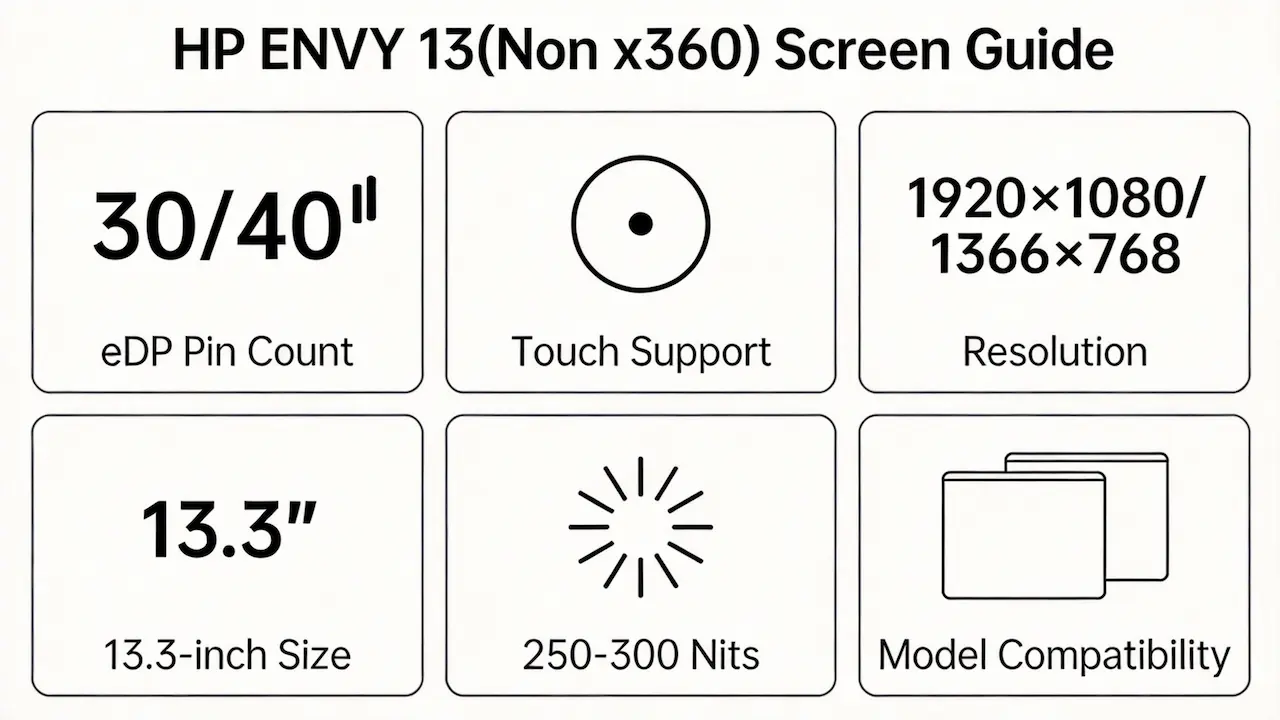
However, a quick search online for “HP ENVY 13 screen replacement” yields countless results, mostly suggesting to match the physical size and resolution. This simplistic approach often leads to disappointment as it overlooks critical factors such as eDP pin count, backlight type, and touch capability.
Two common pitfalls include buying panels that fit physically but fail electrically or purchasing a model not compatible with specific sub-series features. Let’s break down what truly determines screen compatibility for the HP ENVY 13, starting with its official specifications.
What is the exact screen model used in the [HP ENVY 13 Screen]?
| HP Model | OEM Screen Model | Size | Resolution | Refresh Rate | Brightness (nits) | Type | Touch | eDP Pin |
|---|---|---|---|---|---|---|---|---|
| HP Envy Spectre XT 13t-2000 | LG LP133WH2-TLA1 | 13.3″ | 1366×768 | 60Hz | 250 | TN | No | 30-pin |
| HP Envy Spectre XT 13-2000eg | LG LP133WH2-TLA1 | 13.3″ | 1366×768 | 60Hz | 250 | TN | No | 30-pin |
| HP Envy Spectre XT 13-2006tu | LG LP133WH2-TLA1 | 13.3″ | 1366×768 | 60Hz | 250 | TN | No | 30-pin |
| HP Envy Spectre XT 13-2011tu | LG LP133WH2-TLA1 | 13.3″ | 1366×768 | 60Hz | 250 | TN | No | 30-pin |
| HP Spectre XT Pro-B8W13AA | AUO B133XAN01.0 | 13.3″ | 1920×1080 | 60Hz | 300 | IPS | No | 30-pin |
| HP Envy Spectre XT 13-2050nr | AUO B133XAN01.0 | 13.3″ | 1920×1080 | 60Hz | 300 | IPS | No | 30-pin |
| HP Envy Spectre XT 13-2003EF | LG LP133WH2-TLA1 | 13.3″ | 1366×768 | 60Hz | 250 | TN | No | 30-pin |
| HP Envy 13-d001nl | BOE NV133WUM-N41 | 13.3″ | 1920×1080 | 60Hz | 250 | IPS | No | 30-pin |
| HP Envy 13-d000ng | BOE NV133WUM-N41 | 13.3″ | 1920×1080 | 60Hz | 250 | IPS | No | 30-pin |
| HP Envy 13-d020ng | BOE NV133WUM-N41 | 13.3″ | 1920×1080 | 60Hz | 250 | IPS | No | 30-pin |
| HP Envy 13-d004ng | BOE NV133WUM-N41 | 13.3″ | 1920×1080 | 60Hz | 250 | IPS | No | 30-pin |
| HP Envy 13-d001nf | BOE NV133WUM-N41 | 13.3″ | 1920×1080 | 60Hz | 250 | IPS | No | 30-pin |
| HP Envy 13-d020nd | BOE NV133WUM-N41 | 13.3″ | 1920×1080 | 60Hz | 250 | IPS | No | 30-pin |
| HP Envy 13-d014tu | BOE NV133WUM-N41 | 13.3″ | 1920×1080 | 60Hz | 250 | IPS | No | 30-pin |
| HP Envy 13-d002nn | BOE NV133WUM-N41 | 13.3″ | 1920×1080 | 60Hz | 250 | IPS | No | 30-pin |
| HP Envy 13-d007tu | BOE NV133WUM-N41 | 13.3″ | 1920×1080 | 60Hz | 250 | IPS | No | 30-pin |
| HP Envy 13-d000ur | BOE NV133WUM-N41 | 13.3″ | 1920×1080 | 60Hz | 250 | IPS | No | 30-pin |
| HP Envy 13-d003ur | BOE NV133WUM-N41 | 13.3″ | 1920×1080 | 60Hz | 250 | IPS | No | 30-pin |
| HP Envy 13-d002na | BOE NV133WUM-N41 | 13.3″ | 1920×1080 | 60Hz | 250 | IPS | No | 30-pin |
| HP Envy 13-d071ng | BOE NV133WUM-N41 | 13.3″ | 1920×1080 | 60Hz | 250 | IPS | No | 30-pin |
| HP Envy 13-d009nl | BOE NV133WUM-N41 | 13.3″ | 1920×1080 | 60Hz | 250 | IPS | No | 30-pin |
| HP Envy 13-ab016nr | LG LP133WF6-SPB1 | 13.3″ | 1920×1080 | 60Hz | 250 | IPS | No | 30-pin |
| HP Envy 13-ab021nd | LG LP133WF6-SPB1 | 13.3″ | 1920×1080 | 60Hz | 250 | IPS | No | 30-pin |
| HP Envy 13-ab001ns | LG LP133WF6-SPB1 | 13.3″ | 1920×1080 | 60Hz | 250 | IPS | No | 30-pin |
| HP Envy 13-ab003ru | LG LP133WF6-SPB1 | 13.3″ | 1920×1080 | 60Hz | 250 | IPS | No | 30-pin |
| HP Envy 13-ab000nd | LG LP133WF6-SPB1 | 13.3″ | 1920×1080 | 60Hz | 250 | IPS | No | 30-pin |
| HP Envy 13-ab009ns | LG LP133WF6-SPB1 | 13.3″ | 1920×1080 | 60Hz | 250 | IPS | No | 30-pin |
| HP Envy 13-ab015tu | LG LP133WF6-SPB1 | 13.3″ | 1920×1080 | 60Hz | 250 | IPS | No | 30-pin |
| HP Envy 13-ab010nd | LG LP133WF6-SPB1 | 13.3″ | 1920×1080 | 60Hz | 250 | IPS | No | 30-pin |
| HP Envy 13-ad026tu | AUO B133HAN04.1 | 13.3″ | 1920×1080 | 60Hz | 300 | IPS | Yes | 40-pin |
| HP Envy 13-ad065nr | AUO B133HAN04.1 | 13.3″ | 1920×1080 | 60Hz | 300 | IPS | Yes | 40-pin |
| HP Envy 13t-1YU00AV | BOE NV133WUM-N61 | 13.3″ | 1920×1080 | 60Hz | 300 | IPS | No | 30-pin |
| HP Envy 13-ba1475ng | BOE NV133WUM-N61 | 13.3″ | 1920×1080 | 60Hz | 300 | IPS | No | 30-pin |
What are the key technical specifications of the original panel?
- The resolution and panel type directly affect display quality and viewing angles.
- Touch functionality is available only in certain models, requiring specific connectors.
- Understanding these specifications helps avoid mismatches that could lead to functional failures.
Want to dive deeper into LCD panel specifications—such as eDP interfaces, refresh rates, color gamuts, and quality grading? Consult the comprehensive Complete Guide to Laptop Display Specifications in 2025.
What are the common misconceptions when purchasing the HP ENVY 13 Screen panel?
- Assuming all 13.3″ FHD panels are interchangeable ignores differences in eDP pin count and backlight drivers.
- Ignoring sub-series variations can result in missing features like touch capability or incorrect mounting brackets.
- Always verify the exact model number and compare it against official documentation to ensure proper compatibility.
Where can I verify screen compatibility before ordering?
- Utilize resources like HP PartSurfer to find the exact OEM part numbers based on your device’s serial number.
- Cross-reference with databases such as Panelook for detailed technical specifications.
- Consult the HP Maintenance and Service Guide for comprehensive compatibility information.
FAQ
Does the HP Envy 13 have a touchscreen?
- Some HP ENVY 13 models support touch, particularly those in the ad series.
- For precise confirmation, check the specific sub-model’s specifications.
Is the HP Envy 13 screen OLED?
- As of 2026, the HP ENVY 13 series primarily uses IPS panels rather than OLED technology.
Is the HP Envy 13 touch screen?
- Only certain sub-models, notably the ad series, feature touch screens.
- Ensure compatibility by verifying the exact model number.
Need a guide for other HP Envy (non-x360) models?
If you’re working on a different screen size in the HP Envy non-convertible series, consult our model-specific compatibility guides:
Conclusion
Need bulk OEM panels?
We’re distributor of BOE, LG, Samsung, AUO, Innolux, and Sharp screens.Contact us for Bulk Order Exact HP ENVY 13 compatibility guaranteed MOQ as low as 10 pcs | Mixed orders welcome”)
For more detailed information on HP laptop screen replacement strategies, including other models and series, visit ourHP Laptop Screen Replacement Ultimate Guide.



