
You ordered a replacement screen for your HP Pavilion x360 14-cd1042tx—it fits physically, but the display stays black or touch stops working. This is frustratingly common among repair technicians and resellers.
This guide is part of our comprehensive HP Laptop Screen Replacement Guide,designed to help resellers and repair shops navigate the complexities of screen replacements.
Most online advice tells you to “just match the size and resolution.” That’s dangerously incomplete. True compatibility depends on eDP pinout, backlight power circuit design, and firmware-level EDID validation—not just physical dimensions.
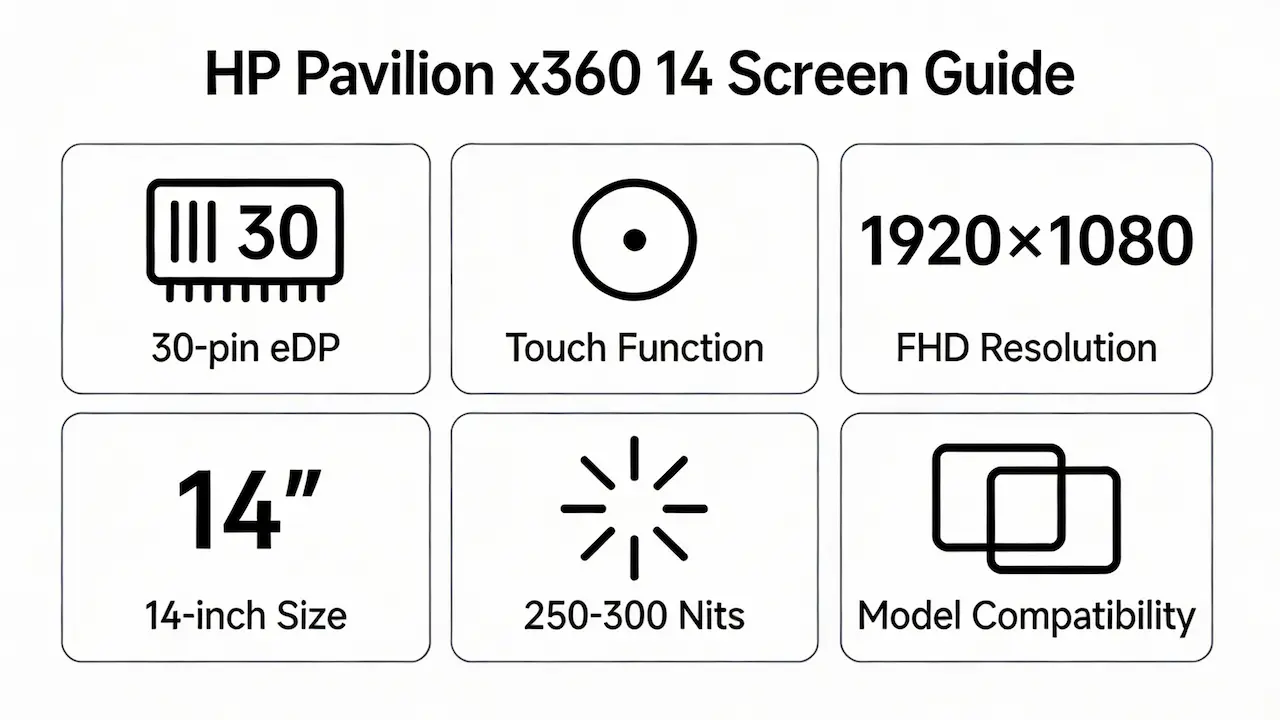
Two failure patterns dominate: (1) panels with correct 14-inch size and 1920×1080 resolution that fail due to 30-pin vs. 40-pin eDP mismatch, and (2) non-touch replacements installed on touch-required logic boards, causing POST errors. Let’s break down what truly determines screen compatibility for the HP Pavilion x360 14, starting with its official specifications.
What is the exact screen model used in the HP Pavilion x360 14?
| HP Model | Common OEM Screen | Size | Resolution | Panel Type | Touch | Brightness (nits) | Refresh Rate | eDP Interface |
|---|---|---|---|---|---|---|---|---|
| ba / cd | LP140WF6-SPB1 (LG) | 14″ | 1920×1080 | IPS | YES | 250 | 60Hz | 30-pin |
| B140HAN02.0 (AUO) | 14″ | 1920×1080 | IPS | YES | 250 | 60Hz | 30-pin | |
| CLAA140WA01CW (CSOT) | 14″ | 1920×1080 | IPS | YES | 250 | 60Hz | 30-pin | |
| dh / dw | LP140WF6-SPD1 (LG) | 14″ | 1920×1080 | IPS | YES | 250 | 60Hz | 30-pin |
| B140HAN04.3 (AUO) | 14″ | 1920×1080 | IPS | YES | 250 | 60Hz | 30-pin | |
| dy / ek | NV140FHM-N4X (BOE) | 14″ | 1920×1080 | IPS | YES | 250 | 60Hz | 30-pin |
| LP140WF12-SPE1 (LG) | 14″ | 1920×1080 | IPS | YES | 300 | 60Hz | 30-pin |
Full Model List
| Column 1 | Column 2 | Column 3 | Column 4 | Column 5 |
|---|---|---|---|---|
| HP Pavilion x360 14-ba011ng | HP Pavilion x360 14-BA012ND | HP Pavilion x360 14-ba016na | HP Pavilion x360 14-BA022NW | HP Pavilion x360 14-ba028ns |
| HP Pavilion x360 14-ba029n | HP Pavilion x360 14-ba029ns | HP Pavilion x360 14-ba032ns | HP Pavilion x360 14-ba043nd | HP Pavilion x360 14-ba073TX |
| HP Pavilion x360 14-ba138ns | HP Pavilion x360 14-cd0002ng | HP Pavilion x360 14-cd0006ns | HP Pavilion x360 14-CD0007NS | HP Pavilion x360 14-cd0008ns |
| HP Pavilion x360 14-cd0010ns | HP Pavilion x360 14-cd0011ns | HP Pavilion x360 14-cd0014ns | HP Pavilion x360 14-CD006NW | HP Pavilion x360 14-cd0087tu |
| HP Pavilion x360 14-cd0650nd | HP Pavilion x360 14-cd0957nd | HP Pavilion x360 14-cd1042tx | HP Pavilion x360 14-dh0006ns | HP Pavilion x360 14-dh0007ns |
| HP Pavilion x360 14-dh0009ns | HP Pavilion x360 14-dh0103tu | HP Pavilion x360 14-dh0220ng | HP Pavilion x360 14-dh0226ng | HP Pavilion x360 14-dh0807nd |
| HP Pavilion x360 14-dh1000ns | HP Pavilion x360 14-dh1004ns | HP Pavilion x360 14-dh1011ns | HP Pavilion x360 14-dh1012ns | HP Pavilion x360 14-dh1153ng |
| HP Pavilion x360 14-dw0007nf | HP Pavilion x360 14-dw0097nr | HP Pavilion x360 14-dw0231ng | HP Pavilion x360 14-dw1000ns | HP Pavilion x360 14-dw1001ns |
| HP Pavilion x360 14-dw1002ns | HP Pavilion x360 14-dw1003ns | HP Pavilion x360 14-dw1004ns | HP Pavilion x360 14-dw1023ns | HP Pavilion x360 14-dw1024nr |
| HP Pavilion x360 14-dw1028ns | HP Pavilion x360 14-dy0007ns | HP Pavilion x360 14-dy0009ns | HP Pavilion x360 14-dy0018ns | HP Pavilion x360 14-dy0028ns |
| HP Pavilion x360 14-dy0034ns | HP Pavilion x360 14-dy0060TU | HP Pavilion x360 14-dy0061TU | HP Pavilion x360 14-dy0157ng | HP Pavilion x360 14-dy1001ns |
| HP Pavilion x360 14-dy1002ns | HP Pavilion x360 14-dy1004ns | HP Pavilion x360 14-dy1034ns | HP Pavilion x360 14-ek0000 | HP Pavilion x360 14-ek0005ns |
| HP Pavilion x360 14-ek0751nd | HP Pavilion x360 14-ek1000 | HP Pavilion x360 14-ek1000ng | HP Pavilion x360 14m-dh0003dx |
What are the key technical specifications of the original panel?
All original panels use a 30-pin eDP 1.4 interface with single-channel LVDS-equivalent signaling.Brightness is 250 nits typical, though later ek-series models may include 300-nit variants like LP140WF12-SPE1.Panelook confirms these panels share identical mounting hole positions (VESA MIS-D 75 compatible) and backlight voltage (3.3V PWM-controlled), critical for avoiding backlight flicker or burnout.
All variants use 30-pin eDP 1.4, feature IPS technology only (no TN panels), and require touch functionality. Brightness values reflect typical luminance per manufacturer datasheets and HP engineering documentation.
Want to dive deeper into LCD panel specifications—such as eDP interfaces, refresh rates, color gamuts, and quality grading? Consult the comprehensive Complete Guide to Laptop Display Specifications in 2025.
Can I upgrade to a higher-resolution or touch screen?
No. The HP Pavilion x360 14 series does not support resolutions above 1920×1080.
The GPU (Intel UHD or Iris Xe) and BIOS are locked to FHD timing tables; a QHD panel will not initialize.
Touch is mandatory—not optional. Even if you install a higher-brightness 300-nit panel, it must include a functional digitizer; otherwise, the system halts during POST.
How does this model differ from similar-looking variants (e.g., HP Pavilion 14-ce0023dx)?
The Pavilion x360 14 (ba/cd/dh/dw/dy/ek) is a convertible 2-in-1 with mandatory touch, while the non-x360 Pavilion 14-ce uses non-touch panels with 40-pin eDP.
Key differences:
Model Variant Panel Type Resolution Touch? Interface OEM Part Numbers
HP x360 14-cd1042tx IPS 1920×1080 Yes 30-pin eDP LP140WF6-SPB1, B140HAN02.0
HP Pavilion 14-ce0023dx IPS 1920×1080 No 40-pin eDP LP140WF4-TLC1, B140HTN04.0
HP x360 14-cd1042tx IPS 1920×1080 Yes 30-pin eDP LP140WF6-SPB1, B140HAN02.0
HP Pavilion 14-ce0023dx IPS 1920×1080 No 40-pin eDP LP140WF4-TLC1, B140HTN04.0
Installing a 40-pin panel into an x360 chassis causes immediate power-on failure due to pinout conflict on backlight enable lines.
Where can I verify screen compatibility before ordering?
Cross-reference your laptop’s full model number against HP’s official Spare Parts List (available via HP Support Assistant).
Use Panelook.com to validate OEM part numbers and check electrical specs like VDD voltage and eDP lane count.
iFixit’s compatibility database flags known mismatches—for example, NV140FHM-N4X works in dy/ek models but may require EC firmware v01.08+ in early dh units.
Need a guide for other HP Pavilion x360 models?
While all Pavilion x360 models share a convertible design, their screens are not interchangeable due to differences in eDP pin count, aspect ratio (16:9 vs. 16:10), and touch controller architecture. Consult our model-specific guides for other sizes:
Conclusion:We Are the distributer of BOE,LG,SAMSUNG,AUO,Innolux and Sharp LCD
For bulk compatibility verification, contact us with your full model number.
For more detailed information on HP laptop screen replacement strategies, including other models and series,visit our HP Laptop Screen Replacement Ultimate Guide.



