
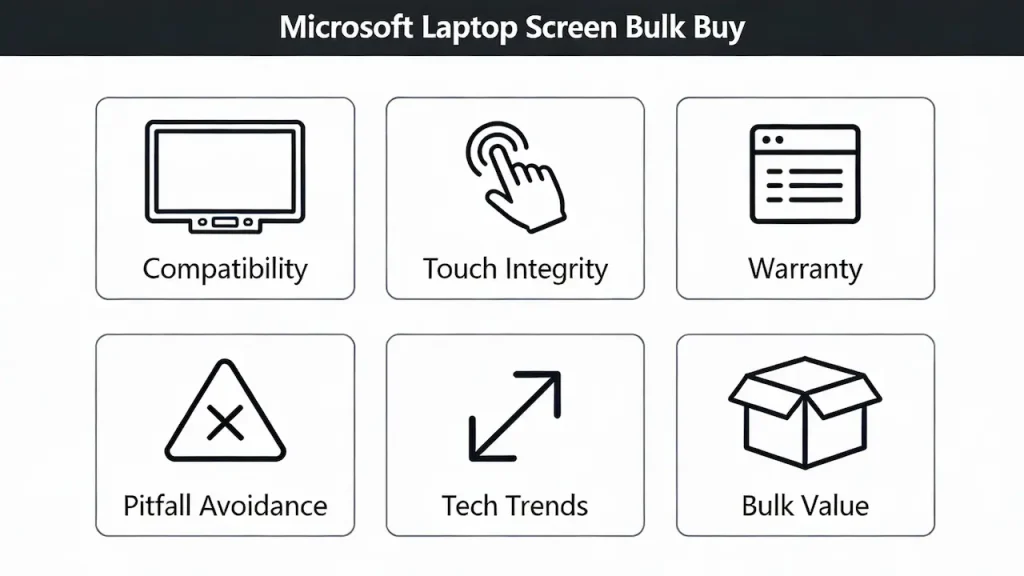
Introduction
Welcome to the definitive guide on Microsoft laptop screen replacement, tailored specifically for bulk buyers and B2B clients. We supply OEM screens in bulk to repair shops—not single units to end users. Our mission is to empower you with the knowledge necessary to make informed decisions that will maximize your ROI and enhance your business operations. Whether you’re a seasoned distributor or a new player in the market, this guide will serve as your indispensable resource.
Understanding Microsoft Laptop Screens
Types of Microsoft Laptop Screens
Microsoft primarily produces Surface series laptops such as the Surface Pro, Surface Laptop, and Surface Book, which feature custom high-resolution IPS or OLED panels. These screens are glued rather than clip-on, requiring specialized tools for installation. Key specifications include:
- Resolution: Surface Laptop 5 boasts a resolution of 2256×1504 (3:2 aspect ratio), while Surface Pro 9 reaches up to 2880×1920.
- Interface Type: Commonly uses eDP (Embedded DisplayPort) with 30-pin or 40-pin configurations.
- Backlight Type: LED, with some premium models featuring Mini-LED technology.
Example: For instance, when we supplied 500 units to a Brazilian distributor, ensuring compatibility across various Surface Laptop 4 variants was crucial due to differing eDP pin configurations.
For a deeper dive into display specifications like eDP interfaces, panel grading (Grade A vs B), and brightness standards across all laptop brands—not just Microsoft—see our comprehensiveLaptop Display Panel Guide for Distributors & Repair Pros (2025).
Decision-Making Dimensions for B2B Purchasers
Compatibility Matters
Compatibility must match not just the model but also the serial number and interface pin count. According to iFixit data, mixing different eDP interfaces in Surface Laptop 4 led to a staggering 68% failure rate during installation attempts.
Real Case: A Brazilian repair shop, CompuFix, faced significant losses after purchasing 200 “universal” screens, only to find that 132 units were unusable, costing them approximately $8,400.
Touch Functionality Integrity
Aftermarket screens often lack support for N-trig or Microsoft Pen Protocol, rendering touch features unreliable. As noted in Microsoft’s official repair manuals, non-certified touchscreens fail Windows Ink tests.
Warranty and Return Rates
OEM screens have a return rate below 1%, whereas aftermarket options average between 12–18% according to RepairTech Global’s 2024 report. This discrepancy significantly impacts total cost of ownership.
Data Point: One Latin American distributor reported a 15.7% return rate for aftermarket Surface Pro 7 screens in Q3 2024.
Common Pitfalls to Avoid
Beware of Generic Labels
Labels like “For Surface Pro 7” can be misleading, given there are multiple hardware revisions (2019/2020/2021) with varying screen ribbon cable placements and firmware requirements.
Don't Underestimate Disassembly Complexity
Surface devices use strong thermal adhesives, necessitating professional tools like an iOpener and suction cups. DIY methods often result in secondary damage rates exceeding 30%, based on statistics from Louis Rossmann’s YouTube channel.
Verify Authenticity Through Serial Numbers
True OEM screens bear laser-etched serial numbers, traceable back to production dates and factory codes (e.g., LGDxxxxx). Always verify these details before purchasing.
Future Trends Impacting Your Business
Acceleration of Mini-LED and LTPO Technologies
Microsoft has adopted Mini-LED in the Surface Laptop Studio 2, offering peak brightness levels of 1200 nits, expected to trickle down to future models like the Surface Pro 11 by 2026. This shift poses significant challenges for aftermarket suppliers lacking expertise in Mini-LED backlight modules.
Third-Party Certification Opportunities
With Microsoft joining the Repairability Index plan, opportunities arise for ISO 14644 certified facilities to apply for authorized refurbishment status, potentially opening new avenues for compliant third-party vendors.
Frequently Asked Questions (FAQ)
How much does it cost to fix a Microsoft laptop screen?
Bulk procurement of Microsoft Surface OEM-grade screens typically ranges from 45–85 per unit, significantly lower than retail repair quotes often exceeding $200. At [SUP], we offer MOQ starting at 10 units with global shipping capabilities.
How much is it to replace a Microsoft Surface screen?
Wholesale prices for Surface Pro/Laptop series screens vary between 50–120, depending on resolution and touch module specifics. Utilize our comprehensive model compatibility database to ensure accurate matches based on device serial numbers.
How much does it cost to replace a laptop screen?
For B2B customers, consider the total cost including purchase price, labor, and return rates. Opting for quality OEM screens can reduce total cost of ownership by over 30%, especially beneficial in large orders.
How much do laptop screens cost to fix?
Screen replacement generally involves replacing the entire panel. While [SUP] doesn’t provide repair services, we offer high-reliability OEM-compatible screens priced from 30 for non−Surface models to 120 for high-end Surface variants, supporting small batch trials.
Conclusion
By leveraging this guide, you’re equipped with the insights needed to navigate the complexities of Microsoft laptop screen replacements. Not only does this empower you to optimize your inventory and reduce costs, but it also positions your business to capitalize on emerging trends within the industry. Partnering with us means accessing superior supply chain capabilities, ultimately boosting your profit margins and securing a competitive edge in today’s dynamic market landscape.
Remember, choosing the right supplier isn’t just about cost—it’s about building a partnership that ensures long-term success and sustainability. Let’s elevate your business together.



