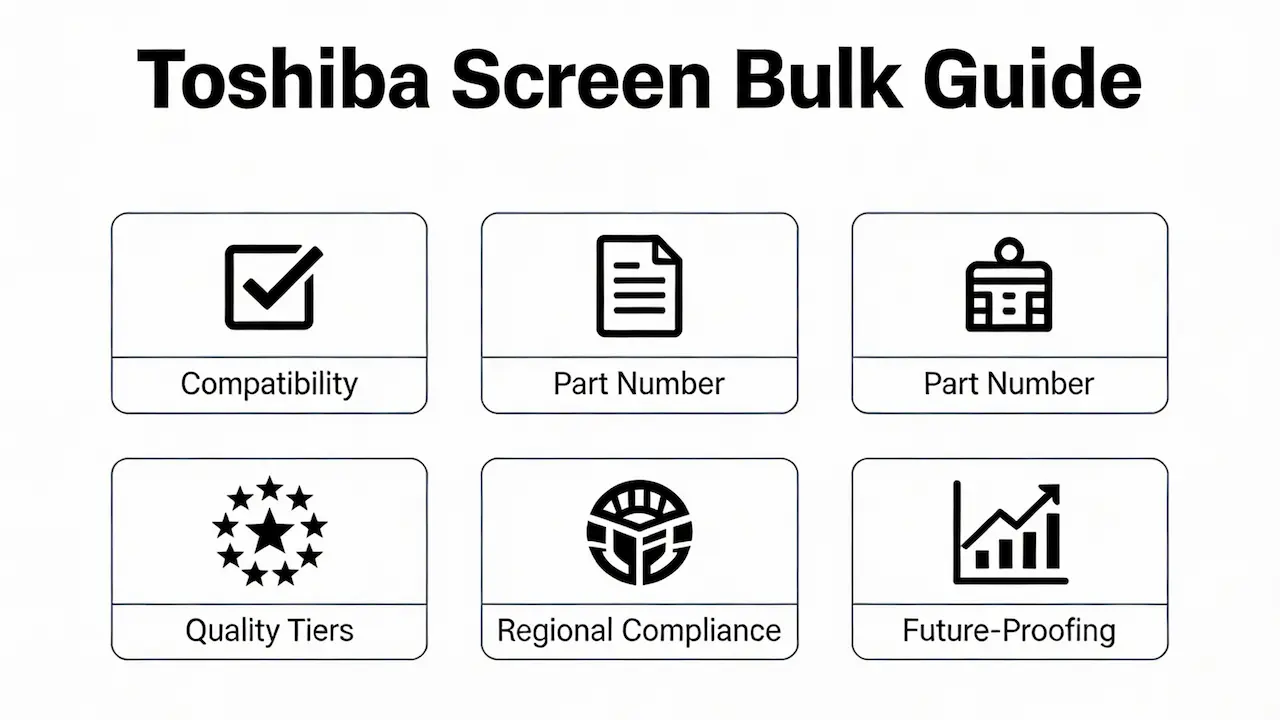
We supply OEM screens in bulk to distributors and repair shops—not single units to end users. If you’re sourcing replacement panels for resale, fleet maintenance, or large-scale refurbishment, this guide delivers the engineering-grade insights you need to avoid costly mistakes and maximize margins.
Why “Just Match the Size” Is a Costly Myth
Replacing a Toshiba laptop screen isn’t just about matching the physical size—true compatibility requires alignment across three non-negotiable parameters: physical dimensions (e.g., 15.6″, 14″), resolution and panel type (HD vs. FHD, TN vs. IPS), and interface standard (LVDS 30-pin vs. eDP 40-pin, 2-lane vs. 4-lane).
For example, the Toshiba Satellite C55-A shipped with at least three distinct panels: AUO B156XTN04.0, BOE NV156WHM-N61, and Innolux N156BGE-EA2. Despite identical form factors, these panels are not cross-compatible due to differences in backlight voltage, EDID, and eDP lane count.
In early 2024, a distributor in Mexico installed “universal” 15.6″ screens into 183 Tecra Z40 units. Because the replacement used a 2-lane eDP interface while the original required 4-lane, all devices failed to display video, resulting in over $11,000 in losses.
How to Identify the Right Panel: Beyond the Laptop Model
Before diving into Toshiba-specific identification, it’s essential to understand the universal framework for notebook panel compatibility. Resolution, interface type (e.g., eDP 4-lane vs. LVDS), backlight voltage, and EDID integrity collectively determine whether a screen will function—not just fit. For a comprehensive breakdown of these foundational parameters across all brands, refer to our Complete Guide to Laptop Display Specifications in 2025.
Step 1: Locate the Panel Part Number
Never rely on the laptop model alone. Always check the label on the back of the LCD module. Valid formats include LP156WF6-SPK1 (LG), CLAA156WA01CW (Chi Mei), and NV133WUM-N4B (BOE). This number is your only reliable key to compatibility.
Step 2: Verify Interface & Backlight Type
Pre-2012 models like the Satellite L300 often use CCFL backlights, which require an inverter. Installing an LED panel without circuit modification will result in a black screen. Meanwhile, post-2013 business models like the Portégé R930 use eDP with BIOS-level EDID validation—non-OEM panels without correct EDID emulation trigger an “Invalid Display” boot error.
According to DSCC (2023), 78% of Toshiba panels were manufactured by AUO and BOE. Panelook’s database confirms over 120 unique panel variants across the Satellite C/L series alone.
Quality Tiers: How Panel Grade Directly Impacts Your Bottom Line
Not all “replacement screens” are equal. OEM-new panels cost 45–75 and have a failure rate below 0.5%. Grade A refurbished panels (25–40) see around 2.1% failure within six months. But compatible third-party copies (15–25) fail at a staggering 8.7%+ rate.
In Q4 2023, German distributor NotebookSpareParts GmbH purchased 1,200 Grade A panels from [SUP]. After six months, only 23 units (1.9%) required returns. A parallel batch of “compatible” screens from another supplier saw 112 failures (9.3%), triggering customer complaints and restocking fees.
Regional Compliance You Can’t Ignore
Selling into regulated markets requires more than just a working screen. In Latin America, screens must carry ANATEL certification markings—unmarked units may be seized at customs. In the EU, RoHS and REACH compliance is mandatory, particularly limiting brominated flame retardants to <900 ppm. Many low-cost panels exceed this threshold.
Always request compliance documentation from your supplier—especially if you serve multi-country clients.
Future-Proofing Your Inventory: Trends Through 2027
Although Toshiba exited the consumer laptop market in 2018, IDC estimates over 28 million units remain in active global use as of 2024. The Satellite C55, L70, and Tecra Z40 series alone account for 63% of current repair demand.
Most original Toshiba screens used TN panels (viewing angle ~160°). Today’s end users demand IPS (178° viewing angle), creating strong demand for drop-in compatible IPS upgrades—but only if they match the original eDP timing and power profile.
OEM-new stock is depleting rapidly. By 2025, Grade A refurbished panels will dominate B2B supply. Partner with suppliers who implement batch traceability and lifespan testing to mitigate aging risks.
Frequently Asked Questions (B2B Focus)
How much does it cost to fix a Toshiba laptop screen for bulk orders?
Bulk pricing typically ranges from 25 to 75 per unit, depending on panel grade and volume. At [SUP], we offer tiered discounts starting at 100 units, with MOQs as low as 20 for high-demand models.
Is it worth replacing a broken screen from a business perspective?
Absolutely. For refurbishers, screen replacement costs are 25–33% of a new laptop’s price, delivering immediate ROI. OEM-grade panels also reduce warranty claims and boost client retention.
How much would it cost to replace screens in wholesale quantities?
Wholesale prices start at 20/unit for common models(e.g.,SatelliteC5515.6″ HDTN) and go up to $60/unit for rare IPS or touch variants.
Is it cheaper to buy new laptops or replace screens for large-scale projects?
Replacement is almost always cheaper. A new entry-level business laptop costs 400–600; a quality screen costs 30–50. That’s a minimum 85% savings per device—critical for IT asset disposition (ITAD) firms.
How much is a laptop screen for suppliers providing bulk replacements?
Reliable suppliers like [SUP] offer factory-direct pricing from major brands including BOE, AUO, Innolux, LG, and Sharp. Prices are transparent, with no hidden “compatibility surcharges.”
Conclusion: Turn Screen Sourcing Into a Profit Center
Your choice of screen supplier doesn’t just affect repair success—it shapes your brand reputation, customer lifetime value, and gross margin. By moving beyond “cheap universal screens” and partnering with a technically rigorous OEM-grade supplier, you transform a cost center into a strategic differentiator.
At [SUP], we don’t sell to end users. We exist to empower distributors and repair chains with engineering-backed compatibility data, bulk pricing transparency, and global compliance support—so you can win more contracts, reduce returns, and scale profitably.
Ready to upgrade your Toshiba screen supply chain? Contact us for a free compatibility audit and sample kit.