Replacing a cracked or flickering screen on your HP Spectre x360 14 often starts with a simple Google search—only to end in confusion. You type “HP Spectre x360 14 screen” and find dozens of listings labeled “3000×2000, touch,” yet none specify whether the panel fits your exact -ea0030tu or -ef2074ng suffix. Generic advice like “just match the resolution” ignores critical hardware-level variables that determine real-world compatibility.
This guide is part of our comprehensive HP Laptop Screen Replacement Guide,designed to help resellers and repair shops navigate the complexities of screen replacements.
Let’s break down what truly determines screen compatibility for the HP Spectre x360 14 (ea/ef/eu series), starting with its official specifications.
What is the exact screen model used in the HP Spectre x360 14?
- The HP Spectre x360 14 uses one of two primary OEM LCD panels, strictly divided by product generation and regional suffix.
- According to the HP Maintenance and Service Guide (2021–2024) and cross-referenced data from Panelook and iFixit’s compatibility database, ea-series models (2020–2021) ship with the BOE NV140WUM-N61, while ef/eu-series models (2022–2024) use the LG LP135QH1-SPB1.
- A technician replacing a screen on a 14-ea0378ng must not assume compatibility with a panel listed for 14-ef2074ng, even if both claim “3000×2000 touch”—the flex cable routing, backlight driver IC, and digitizer protocol differ between manufacturers.
| Model Variant | OEM Panel Model | Size | Resolution | Refresh Rate | Brightness (nits) | Panel Type | Touch | eDP Pin |
|---|---|---|---|---|---|---|---|---|
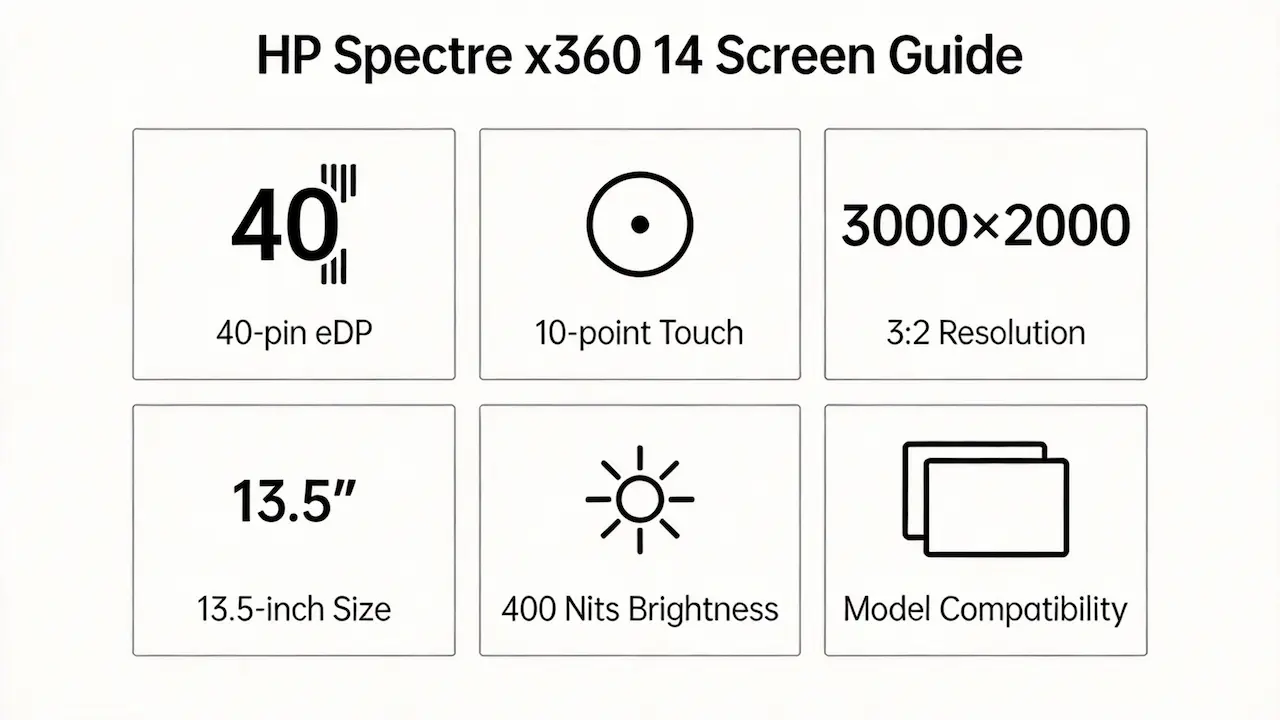
| HP Spectre x360 14t-ea000 / 14-ea0030tu / 14-ea0004ns / 14-ea0378ng / 14-ea0059nw / 14-ea0435no / 14-ea1013TU | BOE NV140WUM-N61 | 13.5″ | 3000×2000 (3:2) | 60Hz | 400 | IPS | Yes (10-point) | 40-pin eDP 1.4 |
| HP Spectre x360 14-ef0073ng / 14-ef0075ng / 14-ef2177ng / 14-ef2038no / 14-ef2000 / 14-eu0078ng / 14-ef2074ng | LG LP135QH1-SPB1 | 13.5″ | 3000×2000 (3:2) | 60Hz | 400 | IPS | Yes (10-point) | 40-pin eDP 1.4 |
| HP Spectre x360 14, i5-1235U(General configuration, please confirm the sub-model) | Depends on the specific suffix (usually one of the two mentioned above) | — | — | — | — | — | — | — |
What are the key technical specifications of the original panel?
- All variants feature a 13.5-inch diagonal display with a 3:2 aspect ratio—not the standard 14.0-inch 16:9 found in most laptops—making mechanical interchange impossible with mainstream panels.
- The native resolution is 3000×2000, brightness is 400 nits, refresh rate is fixed at 60Hz, and touch is implemented via a GFF (Glass-Film-Film) full-lamination stack integrated into the cover glass.
- The electrical interface is 40-pin eDP 1.4, but despite identical pin counts, BOE and LG panels use different timing controllers and power sequencing, which the system’s embedded controller (EC) validates during POST.
Want to dive deeper into LCD panel specifications—such as eDP interfaces, refresh rates, color gamuts, and quality grading? Consult the comprehensive Complete Guide to Laptop Display Specifications in 2025.
What are the common misconceptions when purchasing the HP Spectre x360 14 Screen series screen panel?
- It’s a 14-inch screen, so any 14-inch panel will fit.”
- False: The actual viewable area is 13.5 inches, and the 3:2 aspect ratio requires a custom chassis cutout; standard 1920×1080 panels won’t align with the bezel or digitizer frame.
- “Same resolution and touch = drop-in replacement.”
- False: Even with matching eDP 40-pin connectors, BOE NV140WUM-N61 and LG LP135QH1-SPB1 differ in FPC bend radius, backlight enable logic, and EDID block content, triggering firmware rejection.
- “I can upgrade to OLED or higher brightness.”
- False: HP’s BIOS enforces panel whitelist validation; unauthorized panels—even if electrically functional—will be disabled at boot, as confirmed in HP UEFI Firmware Release Notes (2023).
Where can I verify screen compatibility before ordering?
- Consult the HP Maintenance and Service Guide for your exact model suffix (e.g., 14-ea0030tu)—available on HP’s official support portal—which lists the approved spare part number linked to the panel.
- Cross-check the OEM panel P/N (e.g., NV140WUM-N61) on Panelook.com, which provides datasheets including eDP timing, connector pinout, and mechanical drawings.
- Use iFixit’s Compatibility Database (where available) to confirm whether a specific panel has been validated in real-world repairs for your sub-model.
FAQ
How much does it cost to repair the screen on a HP Spectre x360?
- Repair cost is primarily determined by the OEM panel part number, which varies by sub-model (ea vs ef series).
- BOE NV140WUM-N61 and LG LP135QH1-SPB1 have different market availability and pricing tiers in the secondary supply chain.
- Using an incorrect panel—even if cheaper—often results in functional failure, increasing total cost due to rework or device downtime.
Working on a different HP Spectre x360 size?
The Spectre x360 series shares similar touch and eDP architecture across screen sizes—but panels are not interchangeable. Consult our model-specific guides for other variants:
Conclusion:We Are the distributer of BOE,LG,SAMSUNG,AUO,Innolux and Sharp Screen
We’re distributor of BOE, LG, Samsung, AUO, Innolux, and Sharp screens.  Exact HP Spectre x360 14 compatibility guaranteed MOQ as low as 10 pcs | Mixed orders welcome”)
For more detailed information on HP laptop screen replacement strategies, including other models and series, visit our HP Laptop Screen Replacement Ultimate Guide.