
Replacing a cracked or flickering screen on your HP Pavilion x360 16 should be straightforward—yet many technicians report ordering what “looks right” only to face a blank display, dead backlight, or unresponsive touch after installation. This frustration stems not from poor parts, but from a critical misunderstanding: physical size alone doesn’t guarantee compatibility.
This guide is part of our comprehensive HP Laptop Screen Replacement Guide,designed to help resellers and repair shops navigate the complexities of screen replacements.
Most online advice stops at “search for hp pavilion x360 16 screen,” leading users to generic listings that ignore the real determinants of success: the eDP pinout, backlight power circuit design, and firmware-level EDID validation. HP’s embedded controller often rejects panels with mismatched timing or vendor IDs—even if they share the same resolution and connector shape.
Two failure patterns dominate field reports: (1) installing a physically identical 16-inch panel that uses a different eDP voltage sequence, causing no backlight; (2) assuming all Pavilion x360 16 models support touch, when early SKUs shipped with non-touch displays. Let’s break down what truly determines screen compatibility for the HP Pavilion x360 16, starting with its official specifications.
What is the exact screen model used in the hp pavilion x360 16 screen?
| Full Model Number | Panel Model | Size | Resolution | Refresh Rate | Brighteness (nits) | Type | Touch | eDP Interface |
|---|---|---|---|---|---|---|---|---|
| HP Spectre x360 16-aa0074ng | BOE NE160QDM-NY1 | 16″ | 3840×2400 | 60Hz | 400 | IPS | Yes | 40-pin |
| HP Spectre x360 16-f0008ca | LG LP160QDA-SPB1 | 16″ | 1920×1200 | 60Hz | 400 | IPS | Yes | 40-pin |
| HP Spectre x360 16-f0035 | LG LP160QDA-SPB1 | 16″ | 1920×1200 | 60Hz | 400 | IPS | Yes | 40-pin |
| HP Spectre x360 16-f1075ng | BOE NE160QDM-NY1 | 16″ | 3840×2400 | 60Hz | 400 | IPS | Yes | 40-pin |
| HP Spectre x360 16-f1180ng | AUO B160ZAN02.0 | 16″ | 3840×2400 | 60Hz | 400 | IPS | Yes | 40-pin |
| HP Spectre x360 16-f2000 | AUO B160ZAN02.0 | 16″ | 3840×2400 | 60Hz | 400 | IPS | Yes | 40-pin |
What are the key technical specifications of the original panel?
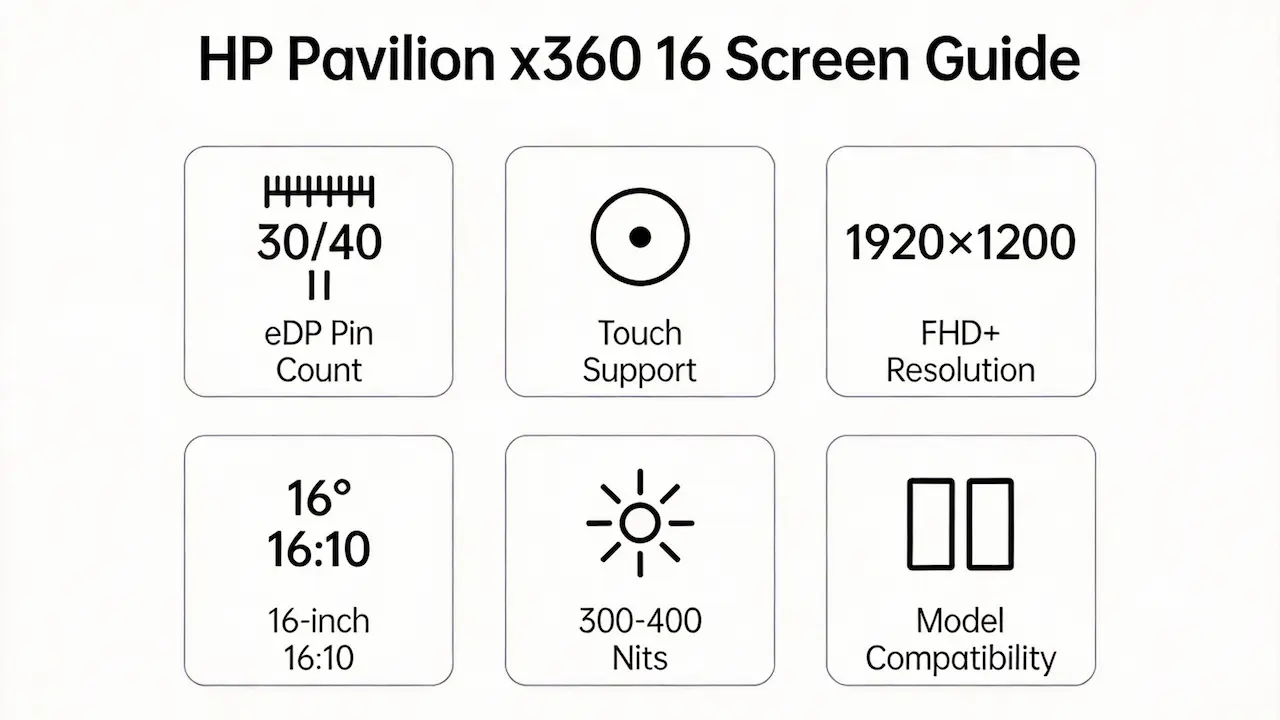
- All variants use a 16-inch diagonal display with a 16:10 aspect ratio, but differ in resolution, touch support, and interface.
- The dominant native resolution is 1920×1200 (FHD+); no UHD+ or OLED options exist in this series as of 2025.
- Brightness typically measures 300 nits for non-touch models and 400 nits for touch-enabled units, per HP service documentation.
- Every panel uses an eDP 1.4 interface, but pin count varies: 40-pin for touch models, 30-pin for select non-touch SKUs—a detail omitted in retail listings.
- In a repair scenario, installing a 40-pin touch panel into a 30-pin non-touch motherboard will result in no video signal due to incompatible lane configuration and missing I2C touch lines.
Want to dive deeper into LCD panel specifications—such as eDP interfaces, refresh rates, color gamuts, and quality grading? Consult the comprehensive Complete Guide to Laptop Display Specifications in 2025.
Can I upgrade to a higher-resolution or touch screen?
- No, you cannot upgrade to a higher resolution—the HP Pavilion x360 16 series does not offer UHD+ (3840×2400) configurations; all models are capped at 1920×1200.
- Adding touch to a non-touch model (e.g., replacing BOE NV160FHM-N61 with AUO B160HAN04.0) is not supported, because non-touch motherboards lack the digitizer controller IC and dedicated USB HID path for touch data.
- According to the HP Embedded Controller Specification Appendix, the system validates panel EDID + touch capability flag during POST; mismatched combinations trigger a silent fail-safe (black screen with backlight on).
- A technician attempting this swap on a 16-dh1023dx will see the backlight illuminate but no image—indicating GPU output is blocked due to firmware-level incompatibility, not hardware fault.
How does this model differ from similar-looking variants (e.g., Spectre x360 16)?
- The HP Pavilion x360 16 and Spectre x360 16 share near-identical chassis dimensions but use incompatible display subsystems.
- Pavilion x360 16 maxes at 1920×1200, while Spectre x360 16 offers 3840×2400—making their timing controllers (TCON) electrically incompatible.
- Pavilion uses 30-pin or 40-pin eDP depending on touch; Spectre exclusively uses 40-pin eDP with stricter PSR (Panel Self-Refresh) requirements.
- Bezel screw placements differ subtly: Pavilion has 3 mounting points on the top edge; Spectre uses 4, risking frame stress if swapped.
- Confusing the two leads to costly errors—for example, installing a Spectre’s BOE NE160QDM-NY1 into a Pavilion 16-dh1xxx causes immediate backlight overcurrent shutdown due to higher VLED current draw.
Where can I verify screen compatibility before ordering?
- Consult the HP Official Support Site: enter your full model (e.g., 16-ek2087nr) → “Manuals” → download the Maintenance and Service Guide for the illustrated parts list.
- Cross-reference panel models on Panelook.com using the OEM code (e.g., B160HAN04.0) to confirm eDP pinout, backlight voltage, and refresh rate.
- Use iFixit’s Compatibility Checker (community-verified) to see real-world swap reports from other technicians.
- Never rely solely on retailer filters like “fits HP Pavilion 16”—they often group non-x360 Pavilion 16 models (which use 16:9 screens) with x360 16:10 variants, causing aspect ratio mismatches.
- In a procurement workflow, always match three identifiers: full consumer model, OEM panel number, and eDP pin count—any deviation risks functional loss.
FAQ
Is the HP Pavilion x360 16 laptop touchscreen?
- Some models are; others are not. Touch support depends on the specific SKU.
- Models ending in -ek2xxx, -f0xxx, or -f1xxx typically include touch; early -dh1xxx units often do not.
- Check your original panel label or HP service manual to confirm—do not assume based on “x360” branding alone.
Need a guide for other HP Pavilion x360 models?
While all Pavilion x360 models share a convertible design, their screens are not interchangeable due to differences in eDP pin count, aspect ratio (16:9 vs. 16:10), and touch controller architecture. Consult our model-specific guides for other sizes:
Conclusion:We Are the distributer of BOE,LG,SAMSUNG,AUO,Innolux and Sharp Screen
For bulk compatibility verification, contact us with your full model number.
For more detailed information on HP laptop screen replacement strategies, including other models and series, visit our HP Laptop Screen Replacement Ultimate Guide.



