What is the HP Pavilion dv3 series overview?
- Product years and market positioning: The HP Pavilion dv3 series was launched between 2009-2010, targeting mid-range consumer users seeking a balance between performance and portability.
- Screen technology features: Most models use 13.3-inch TN panels with LED backlighting, while select models support multi-touch functionality.
- Representative models: Key sub-series include dv3-2000, dv3-2200, and dv3-4000, each with different interface specifications.
- According to the HP Maintenance and Service Guide, the dv3 series features a 13.3-inch WXGA display with optional touch capabilities.
What is the exact screen model used in the HP Pavilion dv3?
- The primary OEM panel used in most dv3 models is the LG-Philips LP133WH1-TLA2 TN panel.
- Different sub-models may use panels from other manufacturers such as Samsung and AUO, but the LP133WH1-TLA2 is the most common.
- Touch-enabled models use modified versions of the LP133WH1 panel with integrated digitizer technology.
| Model Variant | Panel Model | Size | Resolution | Refresh Rate | Brightness | Panel Type | Touch? | eDP Interface |
|---|---|---|---|---|---|---|---|---|
| HP Pavilion dv3-2055ea | LP133WH1-TLA2 | 13.3 inch | 1366 x 768 | 60Hz | 180 nits | TN | No | 40-pin LVDS |
| HP Pavilion dv3-2050ea | LP133WH1-TLA2 | 13.3 inch | 1366 x 768 | 60Hz | 180 nits | TN | No | 40-pin LVDS |
| HP Pavilion dv3-2210eg | LP133WH1-TLA2 | 13.3 inch | 1366 x 768 | 60Hz | 180 nits | TN | Yes | 40-pin LVDS |
| HP Pavilion dv3-2299eo | LP133WH1-TLA2 | 13.3 inch | 1366 x 768 | 60Hz | 180 nits | TN | Yes | 40-pin LVDS |
| HP Pavilion dv3-4048TX | LP133WH1-TLA2 | 13.3 inch | 1366 x 768 | 60Hz | 180 nits | TN | No | 30-pin eDP |
| HP Pavilion dv3-4305se | LP133WH1-TLA2 | 13.3 inch | 1366 x 768 | 60Hz | 180 nits | TN | No | 30-pin eDP |
| HP Pavilion dv3-4050ss | LP133WH1-TLA2 | 13.1 inch | 1366 x 768 | 60Hz | 180 nits | TN | No | 30-pin eDP |
| HP Pavilion dv3-2150us | LP133WH1-TLA2 | 13.3 inch | 1366 x 768 | 60Hz | 180 nits | TN | No | 40-pin LVDS |
| HP Pavilion dv3-2230ea | LP133WH1-TLA2 | 13.3 inch | 1366 x 768 | 60Hz | 180 nits | TN | Yes | 40-pin LVDS |
| HP Pavilion dv3-2390eg | LP133WH1-TLA2 | 13.3 inch | 1366 x 768 | 60Hz | 180 nits | TN | Yes | 40-pin LVDS |
| HP Pavilion dv3-2310er | LP133WH1-TLA2 | 13.3 inch | 1366 x 768 | 60Hz | 180 nits | TN | Yes | 30-pin eDP |
| HP Pavilion dv3-4050ec | LP133WH1-TLA2 | 13.3 inch | 1366 x 768 | 60Hz | 180 nits | TN | No | 30-pin eDP |
What are the key technical specifications of the original panel?
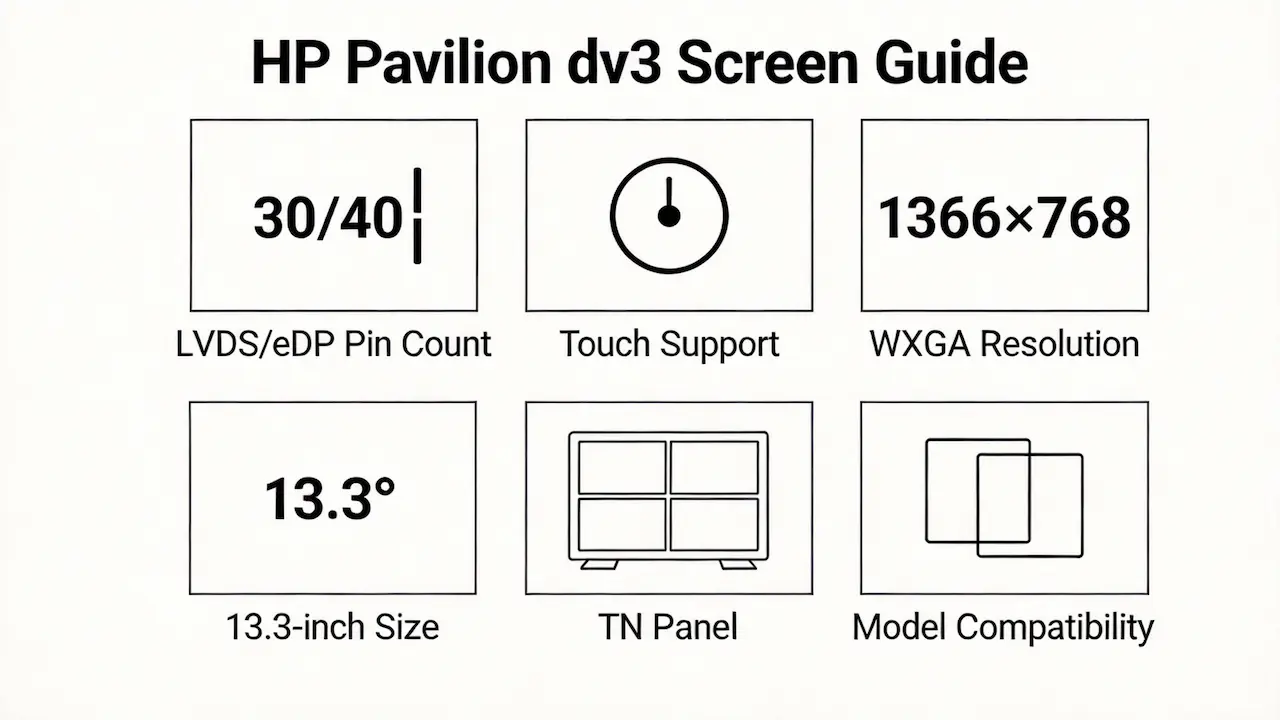
- Size: 13.3-inch (13.1-inch for dv3-4050ss)
- Resolution: 1366 x 768 pixels (WXGA) with 16:9 aspect ratio
- Refresh rate: 60Hz standard for all models
- Brightness: Typical 180 nits, with some touch models reaching up to 220 nits
- Panel type: TN (Twisted Nematic) technology with LED backlighting
- Touch support: Available on select models (dv3-2210eg, dv3-2299eo, dv3-2230ea, dv3-2390eg)
- Interface: 40-pin LVDS for older models (dv3-2000 series) and 30-pin eDP for newer models (dv3-4000 series)
- According to Panelook database, the LP133WH1-TLA2 panel has a contrast ratio of 150:1 and response time of 16ms.
What are the common misconceptions when purchasing the HP Pavilion dv3 series screen panel?
- Misconception 1: Assuming all dv3 models use the same screen. The key difference is the interface type—older dv3-2000 series use 40-pin LVDS while newer dv3-4000 series use 30-pin eDP.
- Misconception 2: Thinking that any 13.3-inch screen will fit. Even with the same physical size, the connector type and backlight technology must match.
- Misconception 3: Believing you can easily upgrade from non-touch to touch. While possible on some models, it requires replacing the entire panel and ensuring the motherboard supports touch functionality.
- A common failure scenario is ordering a 30-pin eDP panel for a dv3-2000 series laptop that requires a 40-pin LVDS connector.
Where can I verify screen compatibility before ordering?
- Official HP resources: Use the HP PartSurfer tool to look up the exact OEM part number for your specific dv3 model.
- Panelook database: Search for the LP133WH1-TLA2 panel to verify its specifications and compatibility.
- iFixit compatibility guide: Check the HP Pavilion dv3 repair guide for detailed screen replacement instructions and compatibility information.
- According to the HP Maintenance and Service Guide, the dv3 series screen part numbers include 506156-001 and 510188-001.
FAQ
What screen does HP Pavilion dv3 use?
Most HP Pavilion dv3 models use the LG-Philips LP133WH1-TLA2 TN panel with 1366×768 resolution.
Is HP Pavilion dv3 screen touch?
Select models including dv3-2210eg and dv3-2390eg support multi-touch functionality.
What is the resolution of HP Pavilion dv3?
Can I upgrade HP Pavilion dv3 to higher resolution?
No, motherboard display controller limitations prevent upgrading to higher resolutions.
Are HP Pavilion dv3-2000 and dv3-4000 screens compatible?
No, they use different interface types: 40-pin LVDS for dv3-2000 and 30-pin eDP for dv3-4000.
What is the panel type of HP Pavilion dv3?
The HP Pavilion dv3 primarily uses TN (Twisted Nematic) panel technology with LED backlighting.
Can I replace non-touch with touch on HP Pavilion dv3?
Some models support touch conversion, but it requires replacing the entire panel with a touch-enabled version.
What is the brightness of HP Pavilion dv3 screen?
Conclusion:We Are the distributer of BOE,LG,SAMSUNG,AUO,Innolux and Sharp Screen
Need bulk OEM panels for HP Pavilion dv3 repairs?
We’re a distributor of BOE, LG, Samsung, AUO, Innolux, and Sharp screens, offering exact compatibility guarantees for all dv3 sub-models. Our panels come with a 12-month warranty and support both 40-pin LVDS and 30-pin eDP interfaces.
Contact us for bulk orders with MOQ as low as 10 pieces.