
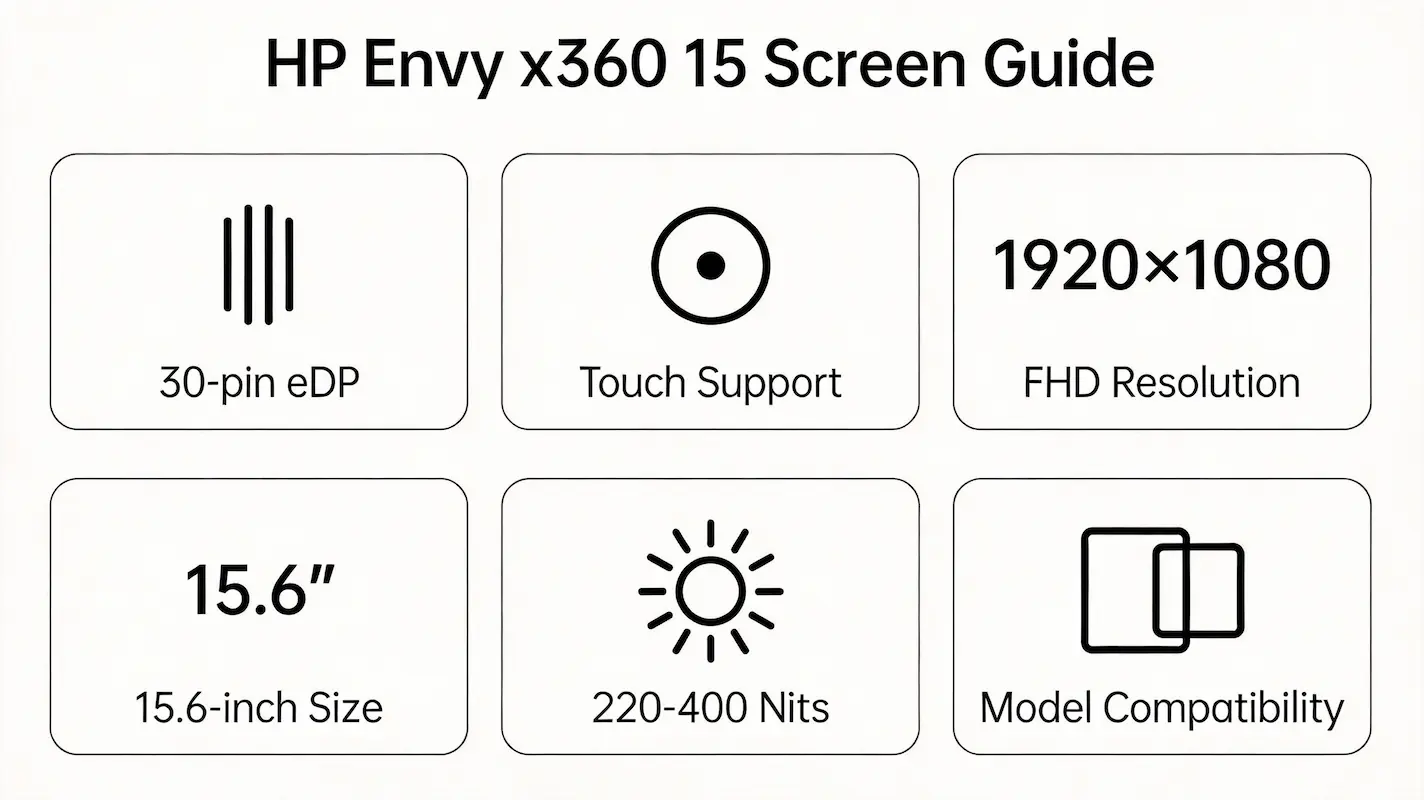
Replacing a cracked or flickering screen on your HP Envy x360 15 seems straightforward—until you order a “compatible” 15.6-inch FHD touch panel, install it, and find the display either won’t turn on, shows distorted colors, or loses touch functionality entirely. This frustration is common because generic listings treat all HP Envy x360 15 units as identical, ignoring critical hardware revisions across sub-models like 15-aq005na, 15-bq102ng, or 15-fe0072ng.
This guide is part of our comprehensive HP Laptop Screen Replacement Guide,designed to help resellers and repair shops navigate the complexities of screen replacements.
Most online advice stops at “match the size and resolution,” but true compatibility depends on deeper technical factors: eDP interface pin count, panel timing controller (TCON) protocol, backlight voltage profile, and even BIOS-level panel whitelisting. Two failures dominate the field: (1) panels that fit physically but fail electrically due to mismatched EDID or PWM dimming, and (2) replacements that work visually but disable touch because the digitizer’s FPC connector orientation differs between suppliers like AUO and CSOT.
Let’s break down what truly determines screen compatibility for the HP Envy x360 15 series, starting with its official specifications.
What is the exact screen model used in the hp envy x360 15 screen?
- The HP Envy x360 15 series spans eight years (2016–2024) and over 30 sub-models, each potentially using different OEM panels from LG Display, AU Optronics, CSOT, or Chi Mei.
- According to the HP Maintenance and Service Guide (2023) and cross-referenced data from Panelook, no single “universal” screen exists—even within the same year.
- For example, the 15-ar002na shipped with a non-touch TN panel (B156HTN04.2), while the nearly contemporaneous 15-aq055na used a touch-enabled IPS panel (LP156WF6-SPB1). Swapping them causes total incompatibility.
| Model | Screen Model | Size | Resolution | Type | Touch | Brightness(nits) | Refresh Rate | eDP pin |
|---|---|---|---|---|---|---|---|---|
| 15-aq055na / aq005na | LP156WF6-SPB1 (LG) | 15.6″ | 1920×1080 | IPS | Yes | 250 | 60Hz | 30-pin |
| 15-ar002na | B156HTN04.2 (AUO) | 15.6″ | 1920×1080 | TN | 否 | 220 | 60Hz | 30-pin |
| 15-aq106ng / aq101ng | LP156WF6-SPB1 / NV156FHM-N41 (CSOT) | 15.6″ | 1920×1080 | IPS | Yes | 250 | 60Hz | 30-pin |
| 15m-bq121dx | NV156FHM-N41 (CSOT) | 15.6″ | 1920×1080 | IPS | Yes | 250 | 60Hz | 30-pin |
| 15-bp008ng / bq102ng / bq100nl | LP156WF6-SPB1 / B156HAN04.0 (AUO) | 15.6″ | 1920×1080 | IPS | Yes | 250–300 | 60Hz | 30-pin |
| 15-bp180nz | B156HAN04.0 (AUO) | 15.6″ | 1920×1080 | IPS | Yes | 300 | 60Hz | 30-pin |
| 15z-1ZA07AV | LP156WF6-SPB1 | 15.6″ | 1920×1080 | IPS | Yes | 250 | 60Hz | 30-pin |
| 15-bq100au | B156HAN04.0 | 15.6″ | 1920×1080 | IPS | Yes | 300 | 60Hz | 30-pin |
| 15-bq181no | LP156WF6-SPB1 | 15.6″ | 1920×1080 | IPS | Yes | 250 | 60Hz | 30-pin |
| 15-cn0004ng / cn0101ng | B156HAN04.0 / CLAA156WA01 (Chi Mei) | 15.6″ | 1920×1080 | IPS | Yes | 300 | 60Hz | 30-pin |
| 15m-dr0012dx | CLAA156WA01 | 15.6″ | 1920×1080 | IPS | Yes | 300 | 60Hz | 30-pin |
| 15-ds0000ng / ds0760nd | NV156FHM-N61 (CSOT) | 15.6″ | 1920×1080 | IPS | Yes | 250 | 60Hz | 30-pin |
| 15-ee0257ng / ee0175nd | NV156FHM-N61 / B156HAN05.2 (AUO) | 15.6″ | 1920×1080 | IPS | Yes | 250–300 | 60Hz | 30-pin |
| 15-eu0155ng / ed1016ur | B156HAN05.2 | 15.6″ | 1920×1080 | IPS | Yes | 300 | 60Hz | 30-pin |
| 15-es0021ur / es2026nr | B156HAN05.2 / NV156FHM-T61 (CSOT) | 15.6″ | 1920×1080 | IPS | Yes | 300 | 60Hz | 30-pin |
| 15m-es1023dx / ey0023dx | NV156FHM-T61 | 15.6″ | 1920×1080 | IPS | Yes | 300 | 60Hz | 30-pin |
| 15-eu1026nr / ey0153ng | B156HAN05.2 | 15.6″ | 1920×1080 | IPS | Yes | 300 | 60Hz | 30-pin |
| 15-fh0077ng / fe0072ng / fe0000 / fe1071cl | B156HCK03.0 (AUO) / NV156FHM-T62 (CSOT) | 15.6″ | 1920×1080 | IPS | Yes | 400 | 60Hz | 30-pin |
What are the key technical specifications of the original panel?
- All variants use a 15.6-inch diagonal display with 1920×1080 (Full HD) native resolution and a 60Hz refresh rate.
- The eDP interface is consistently 30-pin across all generations, but timing protocols (e.g., VESA vs. custom) differ between panel families like SPB1 and N61, leading to signal handshake failures.
- Brightness ranges from 220 nits (early TN models) to 400 nits (2023+ fe/fh series), and higher-brightness panels often require different backlight driver ICs—installing a 400-nit B156HCK03.0 into a bq-series chassis may cause flicker due to PWM frequency mismatch.
- Touch functionality relies on a separate digitizer layer connected via a flexible printed circuit (FPC); AUO panels typically place this connector on the left, while CSOT uses the right—physically preventing direct swaps without cable modification.
Want to dive deeper into LCD panel specifications—such as eDP interfaces, refresh rates, color gamuts, and quality grading? Consult the comprehensive Complete Guide to Laptop Display Specifications in 2025.
What are the common misconceptions when purchasing the HP Envy x360 15 series screen panel?
- “All 15.6-inch FHD touch screens are interchangeable.”
Reality: Panels like LP156WF6-SPB1 and NV156FHM-N61 share size and resolution but use incompatible TCON firmware, causing black screens or low-resolution fallback. - “If it fits and powers on, it’s compatible.”
Reality: A panel may display an image but lack multi-touch support or exhibit color banding due to bit-depth mismatch (e.g., 6-bit + FRC vs. true 8-bit). - “Same CPU generation = same screen.”
Reality: The 15-bq102ng (Ryzen 5 2500U) and 15-cn0004ng (same CPU) use different panels (B156HAN04.0 vs. CLAA156WA01), and BIOS whitelisting in the latter blocks non-Chi Mei replacements. - “Higher brightness is always better.”
Reality: Installing a 400-nit panel into a pre-2021 chassis may overload the backlight boost circuit, risking long-term damage—even if it initially works.
Where can I verify screen compatibility before ordering?
- Consult the official HP Maintenance and Service Guide for your exact model (e.g., search “HP Envy x360 15-bq102ng service manual”)—Section 3 lists approved spare parts, including spare part numbers like 805599-001 that map to specific OEM panels.
- Cross-check panel codes on Panelook.com using the OEM number (e.g., B156HAN05.2) to confirm interface specs, brightness, and supplier.
- Use iFixit’s Compatibility Database or community repair logs to see real-world swap reports—e.g., users confirm NV156FHM-T61 works in 15m-es1023dx but not in 15-ds0760nd due to EDID differences.
- Never rely solely on retail product titles like “For HP Envy x360 15”—always demand the exact OEM panel number from the seller before purchase.
Need a guide for other HP Envy x360 models?
The HP Envy x360 series shares a convertible design, but screen compatibility is strictly model-dependent due to differences in eDP pinout, digitizer integration, and BIOS validation. For other sizes, refer to our dedicated guides:
Conclusion:We Are the distributer of BOE,LG,SAMSUNG,AUO,Innolux and Sharp Screen
For bulk compatibility verification, contact us with your full model number.
For more detailed information on HP laptop screen replacement strategies, including other models and series, visit our HP Laptop Screen Replacement Ultimate Guide.



