You’ve sourced a “compatible” HP ENVY 15 screen online—same size, same resolution—but after installation, the display stays black or flickers uncontrollably.This isn’t user error; it’s a symptom of treating laptop screens as generic commodities. Most public advice stops at “search for HP ENVY 15 screen,” ignoring critical electrical and firmware-level variables that govern true compatibility.
This guide is part of our comprehensive HP Laptop Screen Replacement Guide,designed to help resellers and repair shops navigate the complexities of screen replacements.
Two failure patterns dominate the field:
- Panels with matching physical dimensions but incompatible eDP signaling voltage or TCON (Timing Controller) firmware cause boot failures or erratic backlight behavior.
- Technicians assume all “ENVY 15” models share the same screen, overlooking that a 15-j001tx and a 15-ep0098nr use entirely different OEM panels with non-interchangeable EDID profiles.
Let’s break down what truly determines screen compatibility for the HP ENVY 15 Screen, starting with its official specifications.
What is the exact screen model used in the HP ENVY 15 Screen?
| HP Model | OEM Screen Panel | Size | Resolution | Type | Touch | Brightness (nits) | Refresh Rate | eDP pin | Note |
|---|---|---|---|---|---|---|---|---|---|
| Envy 15-1050nr / 1060ea / 1110ea / 1130ef | LP156WH4-TLA1 (LG) | 15.6″ | 1920×1080 | IPS | No | 250 | 60Hz | 30-pin | Non-touch FHD mainstream configuration |
| Envy 15-3040nr / j059nr / J012LA / j001tx / j011sg | N156BGE-EA1 / B10 (BOE) | 15.6″ | 1920×1080 | IPS | No | 220–250 | 60Hz | 30-pin | BOE’s early batches: Pay attention to the differences in backlight drivers |
| Envy 15z / U002NF / k010ng / j151sr / k050sr / k051sr / k050sh / k203ng / k301tu | LTN156HL01-C01 (AUO) or CLAA156WA01 (Chi Mei/Innolux) | 15.6″ | 1920×1080 | IPS | No | 250 | 60Hz | 30-pin | AUO and Innolux can be interchanged, but the cable length needs to be confirmed. |
| Envy 15-AE007NF / 15z-ah000 / 15-ah00sa / AE004NL / ae047nd / ae030tx | B156HTN02.2 (AUO) | 15.6″ | 1920×1080 | IPS | No | 250 | 60Hz | 30-pin | Mainstream panels in 2015-2016 |
| Envy 15-ae101nc / ae15030tx / ae102nh / as001na / ae109ng / as006ng / as005n / as006ur / ae103ng | NV156FHM-N42 (CSOT) or B156HAN04.0 (AUO) | 15.6″ | 1920×1080 | IPS | No | 250–300 | 60Hz | 30-pin | The brightness of the CSOT batch is slightly higher. It is necessary to verify with the HP PN. |
| Envy 15-as133cl / as000nt / as001ng | B156HAN04.0 (AUO) / LP156WF6-SPD1 (LG) | 15.6″ | 1920×1080 | IPS | No | 300 | 60Hz | 30-pin | Later models support higher brightness. |
| Envy 15-ep0098nr | LP156WF6-SPD1 (LG) | 15.6″ | 1920×1080 | IPS | No | 300 | 60Hz | 30-pin | Models after 2020, only this panel |
What are the key technical specifications of the ENVY 15 original panel?
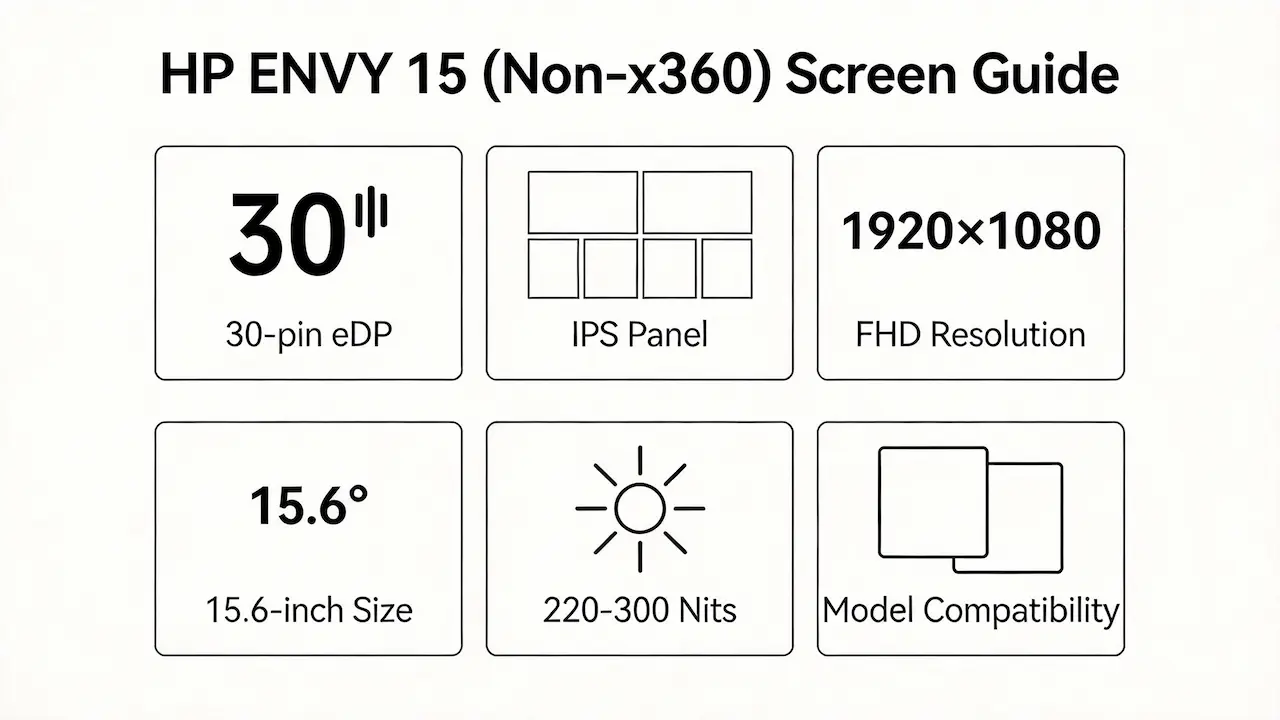
- All listed HP ENVY 15 (non-x360) models use 15.6-inch Full HD (1920×1080) IPS panels with a 30-pin eDP 1.3 interface—no exceptions.
- Brightness ranges from 220 nits (early BOE panels) to 300 nits (late LG/CSOT variants), directly impacting outdoor usability and power draw.
- Refresh rate is uniformly 60Hz; no high-refresh or OLED options exist in this lineage.
- Crucially, none support touch input—touch functionality is exclusive to ENVY x360 models, which feature reinforced frames and additional digitizer layers.
- The table below summarizes verified configurations by model group:
| Model Variant | Panel Type | Resolution | Touch? | Interface | OEM Part Numbers |
|---|---|---|---|---|---|
| 15-1050nr / 1060ea / 1110ea / 1130ef | IPS | 1920×1080 | No | 30-pin eDP | LP156WH4-TLA1 (LG) |
| 15-3040nr / j059nr / J012LA / j001tx / j011sg | IPS | 1920×1080 | No | 30-pin eDP | N156BGE-EA1 (BOE) |
| 15z / U002NF / k010ng / j151sr / k050sr / k051sr / k050sh / k203ng / k301tu | IPS | 1920×1080 | No | 30-pin eDP | LTN156HL01-C01 (AUO), CLAA156WA01 (Innolux) |
| AE007NF / 15z-ah000 / ae047nd / ae030tx | IPS | 1920×1080 | No | 30-pin eDP | B156HTN02.2 (AUO) |
| ae101nc / ae15030tx / as001na / ae109ng / as006ng | IPS | 1920×1080 | No | 30-pin eDP | NV156FHM-N42 (CSOT), B156HAN04.0 (AUO) |
| as133cl / as000nt / as001ng / ep0098nr | IPS | 1920×1080 | No | 30-pin eDP | LP156WF6-SPD1 (LG) |
- Data sourced from HP PartSurfer, Panelook.com, and official service manuals confirms these mappings are consistent across global SKUs.
Want to dive deeper into LCD panel specifications—such as eDP interfaces, refresh rates, color gamuts, and quality grading? Consult the comprehensive Complete Guide to Laptop Display Specifications in 2025.
What are the common misconceptions when purchasing the HP ENVY 15 Screen panel?
- Myth: “Any 15.6-inch FHD IPS panel will work.”
Reality: While mechanical fit may succeed, eDP voltage levels (3.3V vs 5V) and TCON timing sequences vary between OEMs—even within the same resolution class. Mismatches cause no-display or unstable backlight. - Myth: “If it’s labeled ‘for HP ENVY 15,’ it’s compatible.”
Reality: Retailers often list panels generically. A panel sold for 15-as001na (CSOT) may fail in a 15-j001tx (BOE) due to HP-specific EDID firmware embedded in the panel’s EEPROM. - Myth: “I can upgrade to a brighter or higher-quality panel easily.”
Reality: The 15-ep0098nr’s 300-nit LP156WF6-SPD1 cannot be retrofitted into a 15-k050sr because earlier motherboards lack the necessary PWM dimming circuitry and BIOS support. - Myth: “Non-touch and touch panels are the same except for the digitizer.”
Reality: ENVY x360 touch screens have different mounting brackets, thicker bezels, and 40-pin eDP interfaces—making them physically and electrically incompatible with standard ENVY 15 chassis. - These errors waste time and inventory—especially for distributors managing multi-SKU stock.
Where can I verify screen compatibility before ordering?
- Use HP PartSurfer (partsurfer.hp.com) and enter your laptop’s exact model or serial number to retrieve the official HP Spare Part Number (e.g., 805527-001).
- Cross-reference that HP PN on Panelook.com to identify the underlying OEM panel model (e.g., B156HAN04.0).
- Validate electrical specs: confirm eDP pin count (always 30-pin for non-x360), backlight type (LED, single/dual channel), and brightness rating against your chassis generation.
- Avoid relying solely on third-party product titles like “HP Envy 15 Screen”—they rarely distinguish between j-series, k-series, and ae/as-series hardware revisions.
- In practice, a technician in Germany avoided a $ 200 mistake by checking HP Maintenance Guide c04567364 before ordering a replacement for a 15-AE004NL, confirming it required B156HTN02.2, not the more common LP156WH4.
FAQ
What are the HP Envy 15 screen options?
- All non-x360 HP Envy 15 models use 15.6-inch Full HD (1920×1080) IPS panels with 60Hz refresh rate and 30-pin eDP interface.
- Brightness varies by year: early models (2013–2015) offer 220–250 nits, while late models (2018–2020) reach 300 nits.
- Panel suppliers include LG, AUO, BOE, Innolux, and CSOT—but exact compatibility depends on the sub-model.
Is the HP Envy 15 screen OLED?
- No HP Envy 15 (non-x360) model shipped with an OLED display as of 2026.
- All verified units use IPS LCD technology per HP official specifications and Panelook database records.
- OLED panels appear only in select Spectre or ZBook lines, not the mainstream ENVY 15 series.
Is the HP Envy 15 touchscreen?
- The standard HP Envy 15 (non-x360) does not support touch input.
- Every OEM panel listed for these models—LP156WH4, N156BGE, B156HAN04.0, etc.—is non-touch by design.
- Touch capability is exclusive to ENVY x360 convertibles, which use different chassis and 40-pin eDP interfaces.
Need a guide for other HP Envy (non-x360) models?
If you’re working on a different screen size in the HP Envy non-convertible series, consult our model-specific compatibility guides:
Conclusion:We Are the distributer of BOE,LG,SAMSUNG,AUO,Innolux and Sharp Screen
Need bulk OEM panels?
SUP is distributor of BOE, LG, Samsung, AUO, Innolux, and Sharp screens. Contact us for bulk order Exact HP ENVY 15 compatibility guaranteed MOQ as low as 10 pcs | Mixed orders welcome”)
For more detailed information on HP laptop screen replacement strategies, including other models and series, visit ourHP Laptop Screen Replacement Ultimate Guide.