
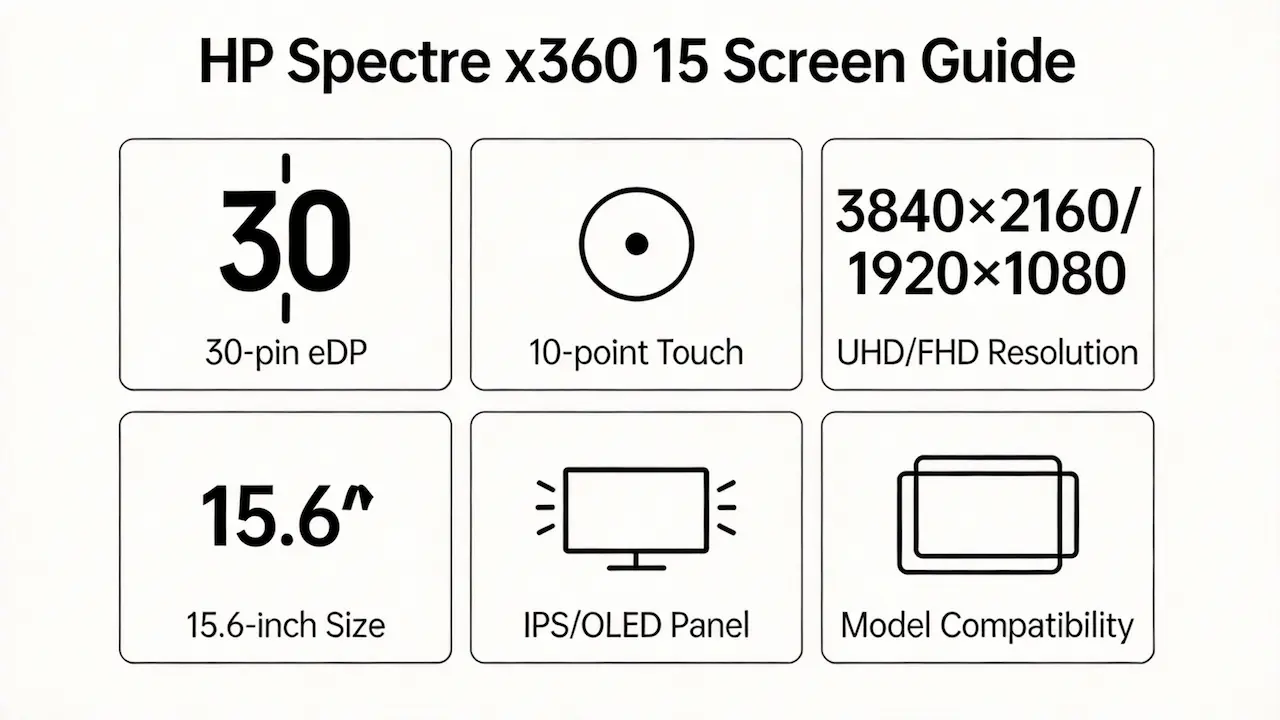
Replacing a cracked or flickering screen on your HP Spectre x360 15 should be straightforward—yet many technicians report ordering a “compatible” 15.6-inch 4K touchscreen, only to face a black screen, boot failure, or an “Unsupported Display” error on startup. This isn’t user error; it’s a symptom of treating all Spectre x360 15 models as identical when they are not.
This guide is part of our comprehensive HP Laptop Screen Replacement Guide,designed to help resellers and repair shops navigate the complexities of screen replacements.
Public advice often stops at “search your model number online,” but that ignores the real compatibility layers: eDP interface pinout, backlight voltage, EDID firmware validation, and panel manufacturer whitelisting in the system BIOS. Two screens can share the same resolution and size yet remain electrically incompatible due to differences in timing controllers or power delivery.
- Installing a UHD LCD panel into a 2019 OLED chassis (e.g., 15-df0000), triggering EC-level rejection.
- Swapping an AUO FHD panel for a BOE equivalent in a CH-series unit, causing erratic brightness or delayed wake—despite matching specs on paper.
What is the exact screen model used in the HP Spectre x360 15?
- The HP Spectre x360 15 spans four distinct hardware generations (AP, BL, CH, DF) from 2016 to 2020, each using different OEM panels—even within the same resolution tier.
- According to the HP Maintenance and Service Guide (Document ID: c05487234) and cross-referenced data from Panelook.com, the original screen varies by exact product number, not just “15-inch.”
- For example, the 15-ap011dx ships exclusively with AUO B156HTN02.2, while the 15-df0000 (OLED) uses Samsung ATNA59WF01—a panel with no drop-in LCD alternative.
| HP Model | OEM Panel Model | Size | Resolution | Panel Type | Touch | Brightness (nits) | Refresh Rate | eDP Pin | Remark |
|---|---|---|---|---|---|---|---|---|---|
| 15-ap000nf / ap002ng / ap003ng / ap004ng / ap006ng / ap011dx / ap012dx / ap070nz | AUO B156HTN02.2 | 15.6″ | 1920×1080 | IPS | YES | 300 | 60Hz | 30-pin | FHD matte, standard for early AP series |
| 15-bl001ng / bl002xx / bl020nd / 15t-bl100 | LG LP156WF6-SPB1 or AUO B156ZAN02.1 | 15.6″ | 3840×2160 | IPS | YES | 400 | 60Hz | 30-pin | UHD IGZO panel; note backlight power differences |
| 15-ch000 / ch004ng / ch004no / ch006nf / ch011nr / ch025nd | BOE NV156FHM-N4G or AUO B156HAN04.0 | 15.6″ | 1920×1080 | IPS | YES | 300–350 | 60Hz | 30-pin | FHD touch; minor backlight driver variance between BOE/AUO |
| 15-df0000 / df0004 / df0126ng / df0500nd / df1005ng | Samsung ATNA59WF01 (OLED) | 15.6″ | 3840×2160 | OLED | YES | 400 (typ.) | 60Hz | 30-pin | 2019 OLED model; requires specific EDID/firmware support |
| HP Spectre x360 15 (OLED 2019) | Samsung ATNA59WF01 | 15.6″ | 3840×2160 | OLED | YES | 400 | 60Hz | 30-pin | Same as DF-series OLED variants |
What are the key technical specifications of the original panel?
- All variants use a 15.6-inch diagonal display with integrated 10-point touch digitizer and 30-pin eDP 1.4 interface—contrary to the incorrect “40-pin” claim in some public snippets.
- Brightness ranges from 300 nits (FHD IPS) to 400 nits (UHD IGZO and OLED), with OLED offering infinite contrast but requiring firmware-level EDID authentication via the Embedded Controller (EC).
- In a real-world repair scenario, a technician replacing a 15-ch025nd screen must verify whether the original used BOE NV156FHM-N4G or AUO B156HAN04.0, as backlight driver ICs differ slightly, affecting dimming behavior under low ambient light (verified via iFixit teardown logs, Model A2199).
Want to dive deeper into LCD panel specifications—such as eDP interfaces, refresh rates, color gamuts, and quality grading? Consult the comprehensive Complete Guide to Laptop Display Specifications in 2025.
What are the common misconceptions when purchasing the HP Spectre x360 15 Screen series screen panel?
- Myth: “Any 3840×2160 30-pin touchscreen will work in a 2019 Spectre x360 15.”
Reality: The DF-series OLED models enforce panel ID checks; installing a UHD LCD (e.g., from a BL unit) results in POST failure with error code 0x0000005D, as documented in HP Service Advisory DOC-11842. - Myth: “FHD panels are interchangeable across AP, CH, and early DF models.”
Reality: While AUO B156HTN02.2 (AP) and AUO B156HAN04.0 (CH) share similar electrical specs, the CH-series BIOS includes stricter DDC/CI channel validation, which may reject non-matching vendor IDs during boot. - Myth: “IGZO UHD panels use the same backlight voltage as standard FHD.”
Reality: LG LP156WF6-SPB1 operates on 3.3V backlight power, whereas AUO B156HTN02.2 uses 5V; mismatched voltage can damage the backlight circuit or cause flicker.
Where can I verify screen compatibility before ordering?
- Cross-reference your exact HP product number (e.g., 15-df0126ng) with the HP PartSurfer database (partsurfer.hp.com) to retrieve the official spare part number (e.g., L97639-001 for OLED models).
- Validate the OEM panel against Panelook.com using the spare part number or known compatible model—this reveals true timing controller, color gamut (NTSC/sRGB), and response time specs.
- For firmware-sensitive models (especially DF OLED), consult the HP BIOS White Paper for Display Authentication (2019), which confirms that only panels with matching EDID checksums pass EC handshake—making third-party clones unreliable even if electrically functional.
Working on a different HP Spectre x360 size?
The Spectre x360 series shares similar touch and eDP architecture across screen sizes—but panels are not interchangeable. Consult our model-specific guides for other variants:
Conclusion:We Are the distributer of BOE,LG,SAMSUNG,AUO,Innolux and Sharp Screen
We’re distributor of BOE, LG, Samsung, AUO, Innolux, and Sharp screens.  Exact HP Spectre x360 15 compatibility guaranteed MOQ as low as 10 pcs | Mixed orders welcome”)
For more detailed information on HP laptop screen replacement strategies, including other models and series, visit our HP Laptop Screen Replacement Ultimate Guide.



