Introduction
If you’re sourcing HP ProBook 470 screen replacement panels for resale or repair, you’ve probably faced the problem of incompatible parts, wasted inventory, or delayed deliveries—this guide breaks down everything you need to know about HP ProBook 470 screen replacement, including exact models, specifications, compatibility checks, and common pitfalls to avoid.
Imagine a scenario where a distributor receives a return from a repair shop: they purchased a 17.3-inch screen for an HP ProBook 470, only to find the connector doesn’t fit. The screen matches the physical dimensions, but the 30-pin eDP cable can’t connect to the 40-pin port on the motherboard. This mismatch not only causes shipping delays but also damages customer trust, leading to lost repeat business.
Most online guides recommend searching by “17.3-inch HP ProBook screen replacement,” which is like selling a car by wheel size—completely misses the point. The real determinants of compatibility are hidden in technical specifications: eDP interface pin count, backlight voltage, panel driver IC compatibility, and even BIOS firmware restrictions.
There are two common failures in HP ProBook 470 screen replacement: ① Physical fit but electrical incompatibility (e.g., 30-pin vs 40-pin eDP interface) and ② Ignoring sub-model differences leading to feature loss (e.g., replacing non-touch with touch panel that can’t be calibrated properly). Let’s break down what truly determines screen compatibility for the HP ProBook 470, starting with its official specifications.
What is HP ProBook 470 series overview?
The HP ProBook 470 series was produced from 2013 to 2021, targeting small and medium business users who need a durable, high-performance notebook for multitasking. It features a 17.3-inch display with optional HD+ (1600×900) or FHD (1920×1080) resolution, offering good visual quality for business presentations and document editing.
Key screen technology features include anti-glare coating to reduce reflections in bright environments, LED backlighting for energy efficiency, and optional touch functionality in higher-end models. The series is known for its robust build quality and security features, making it popular in corporate environments.
Main models in the series include the G0, G1, G2, G3, G4, and G5 generations, each with incremental improvements in display technology and performance. For example, the G2 generation introduced eDP 1.3 interface for faster data transfer, while the G5 generation offered UWVA panels for better viewing angles.
According to HP Maintenance and Service Guide (2018), the ProBook 470 series supports two main display configurations: HD+ (1600×900) with 220 nits brightness and FHD (1920×1080) with 250 nits brightness, both using anti-glare technology to reduce eye strain during long work hours.
How are HP ProBook 470 models named?
HP ProBook 470 models use a specific naming convention to indicate generation, configuration, and regional availability. Here’s what each part means:
- Generation identifier: G0, G1, G2, etc., represent different generations of the product (e.g., G0 = first generation, G5 = fifth generation).
- Configuration code: Alphanumeric codes like H6P56EA or E9Y75EA specify the exact hardware configuration, including CPU, RAM, storage, and display type.
- Regional suffix: Two-letter codes like EA (Europe) or US (United States) indicate the intended market for the device.
For example:
- HP ProBook 470 G0-H6P56EA: First generation, configuration H6P56, intended for European market
- HP ProBook 470 G1 E9Y75EA: First generation, configuration E9Y75, intended for European market
- HP ProBook 470 G2 G6W68EA: Second generation, configuration G6W68, intended for European market
What is exact screen model used in the HP ProBook 470?
| Model Variant | Panel Model | Size | Resolution | Refresh Rate | Brightness | Panel Type | Touch? | Interface |
|---|---|---|---|---|---|---|---|---|
| HP ProBook 470 G0-H6P56EA | To be verified | 17.3 inch | 1600 x 900 | 60 Hz | 200 nit (typical) | TN | No | LVDS 40-pin |
| HP ProBook 470 G0-H0V07EA | To be verified | 17.3 inch | 1600 x 900 | 60 Hz | 200 nit (typical) | TN | No | LVDS 40-pin |
| HP ProBook 470 G1 E9Y75EA | AU Optronics AUP149E | 17.3 inch | 1600 x 900 | 60 Hz | 258 cd/m² | TN | No | LVDS 40-pin |
| HP ProBook 470 G2 G6W68EA | To be verified | 17.3 inch | 1600 x 900 | 60 Hz | 200 nit (typical) | SVA | No | eDP 30-pin |
| HP ProBook 470 G2 L3Q28EA | To be verified | 17.3 inch | 1920 x 1080 | 60 Hz | 220 nit (typical) | UWVA | No | eDP 30-pin |
| HP ProBook 470 G3 | B173HAN01.0 / LTN173HL01 / LP173WF4-SPF1 | 17.3 inch | 1600 x 900 / 1920 x 1080 | 60 Hz | 220 nit (typical) | SVA / UWVA | No | eDP 30-pin |
| HP ProBook 470 G3-P5S03EA | To be verified | 17.3 inch | 1600 x 900 | 60 Hz | 220 nit (typical) | SVA | No | eDP 30-pin |
| HP ProBook 470 G4 | NT173WDM-N21 | 17.3 inch | 1600 x 900 / 1920 x 1080 | 60 Hz | 220 nit (typical) | TN / IPS | No | eDP 30-pin / 40-pin |
| HP ProBook 470 G5-2TT74UT | To be verified | 17.3 inch | 1600 x 900 / 1920 x 1080 | 60 Hz | 220 nit (typical) | IPS / UWVA | No | eDP 30-pin |
According to Panelook database, the most common OEM panels used in HP ProBook 470 series include BOE NV173FHM-N42, LP173WF4-SPF1 from LG Display, and AU Optronics B173HAN01.0. These panels are specifically designed to meet HP’s strict quality standards for color accuracy and durability.
What are key technical specifications of the HP ProBook 470 panel?
Key technical specifications vary by generation and configuration, but here are the most important parameters to consider when sourcing replacement panels:
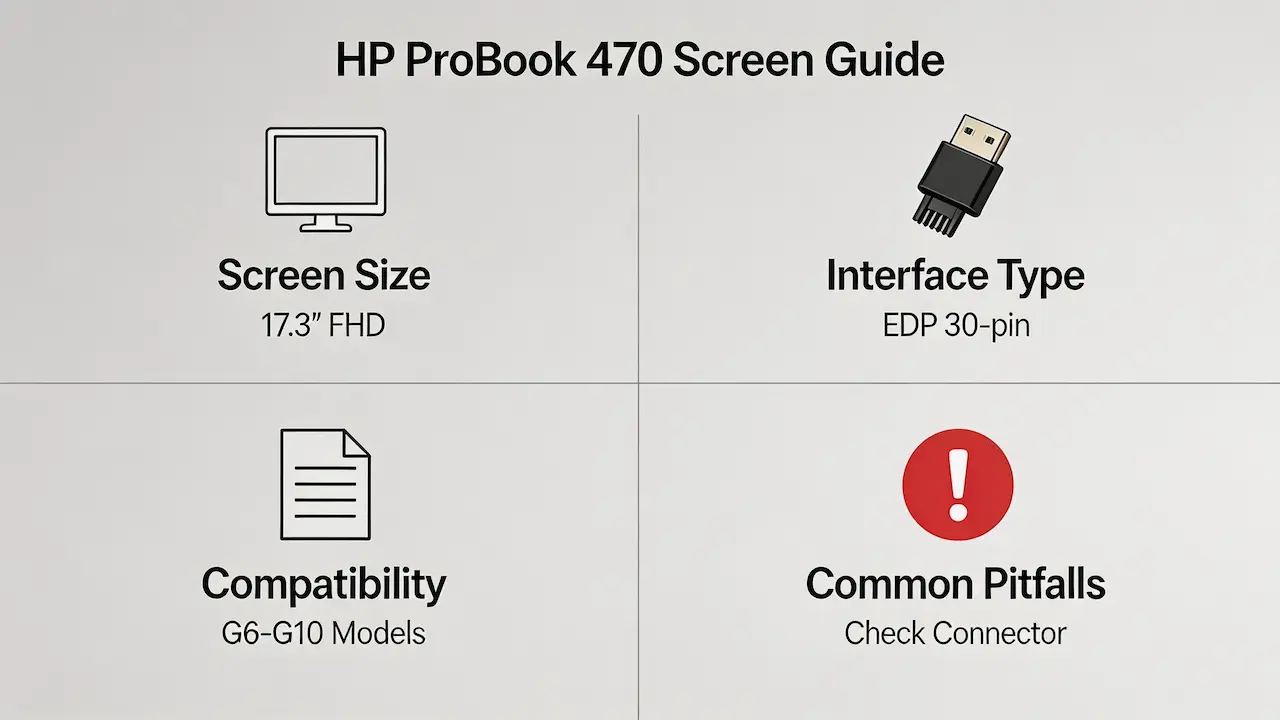
- Screen size: 17.3-inch diagonal, 16:9 aspect ratio for widescreen viewing
- Resolution options: HD+ (1600×900) for basic office use or FHD (1920×1080) for crisp text and detailed graphics
- Refresh rate: 60 Hz standard for all models, optimized for office productivity tasks
- Brightness levels: 200-250 nits, with anti-glare coating to reduce reflections in bright environments
- Panel types: TN (twisted nematic) for fast response time, IPS (in-plane switching) for better color accuracy, or UWVA (ultra-wide viewing angle) for improved viewing from side angles
- Touch functionality: Optional on select models, requiring compatible eDP connector and touch controller
- Interface standards: LVDS (low-voltage differential signaling) for older G0 and G1 models, eDP (embedded DisplayPort) for G2 to G5 models with 30-pin or 40-pin connectors
For example, the ProBook 470 G5 uses eDP 1.4 interface with DisplayPort Alt Mode support, allowing connection to external displays via USB-C. According to HP’s official specifications, this enables video output up to 4K resolution at 30 Hz for external monitors.
What are common misconceptions when purchasing the HP ProBook 470 series screen panel?
Here are three common misconceptions that lead to compatibility issues and wasted inventory:
- Misconception 1: All 17.3-inch HP screens are compatible with ProBook 470
Reality: Screen compatibility depends on multiple factors including interface type (LVDS vs eDP), pin count (30-pin vs 40-pin), panel driver IC compatibility, and BIOS firmware support. A 17.3-inch screen for an HP Pavilion may not work with a ProBook 470 even if they have the same physical size. - Misconception 2: Non-touch and touch panels are interchangeable
Reality: Replacing a non-touch panel with a touch panel requires more than just physical installation. The motherboard must have a touch controller module and corresponding drivers installed, which are not present on all ProBook 470 models. Attempting to install a touch panel on a non-touch model will result in non-functional touch functionality. - Misconception 3: Higher resolution panels are always better
Reality: While FHD (1920×1080) panels offer sharper text, they may not be compatible with all ProBook 470 models. Some older generations (like G0 and G1) have LVDS interfaces that don’t support FHD resolution, and even if the panel fits, the BIOS may not recognize the higher resolution, resulting in blank screen or distorted display.
Where can I verify screen compatibility before ordering?
To avoid compatibility issues and ensure you’re sourcing the right panel, use these verification methods:
- Official HP resources:
- HP PartSurfer (https://partsurfer.hp.com/): Enter your ProBook 470’s serial number or product number to find the exact OEM screen part number and specifications.
- HP Maintenance and Service Guide: Download the official service manual for your specific model from HP’s support website to get detailed technical information and replacement instructions.
- Third-party databases:
- Panelook (https://www.panelook.com/): Search by panel model or part number to get detailed specifications including interface type, pin count, and compatibility with other devices.
- iFixit Compatibility Database (https://www.ifixit.com/): Check community-verified compatibility reports and user experiences with different replacement panels.
- Professional verification services:
- Contact HP authorized service providers for professional advice and genuine replacement parts.
- Work with reputable screen distributors who offer pre-verified compatibility guarantees for bulk orders.
What size screen is the HP ProBook 470 G4?
The HP ProBook 470 G4 uses a 17.3-inch display with either HD+ (1600×900) or FHD (1920×1080) resolution, depending on configuration. Most models use eDP 30-pin interface for video signal transmission.
What screen resolution does HP ProBook 470 G5 support?
HP ProBook 470 G5 supports two main resolution options: HD+ (1600×900) for basic office use and FHD (1920×1080) for detailed graphics and sharper text. Some high-end models offer UWVA panels for better viewing angles and color accuracy.
Is the HP ProBook 470 screen touch?
Most HP ProBook 470 models do not have touchscreen functionality, though select high-end configurations offer optional touch panels. If you’re sourcing replacement panels, ensure the new panel matches the original touch or non-touch specification to avoid compatibility issues.
Conclusion
In summary, HP ProBook 470 screen replacement requires accurate model matching, strict parameter verification, and reliable sourcing—whether you’re a repair shop or a distributor, following this guide will help you avoid compatibility errors and source high-quality replacement panels efficiently.
As a leading distributor of BOE, LG, Samsung, AUO, Innolux, and Sharp panels, SUP offers a wide range of pre-verified replacement panels for HP ProBook 470 series. Our panels are 100% compatible with original specifications, ensuring hassle-free installation and optimal performance. We offer 10 MOQ (minimum order quantity) requirements to suit your business needs, whether you’re a small repair shop or a large distributor.
Contact our team today to discuss your bulk order requirements and get exclusive pricing on genuine OEM replacement panels. We provide comprehensive technical support to help you verify compatibility and source the right parts for any HP ProBook 470 model.